699 WORDS | READ TIME: 3 MIN | CHANGE FLAG: MASTERY
When you walk into a store and a saleslady sidles over and asks how she can help, what’s your reaction?
Well, it depends.
If you’re shopping for your niece’s birthday and you have no idea what’s trending in the world of teeny-bopper-dom, you thank Saleslady and let her show you the selection of custom phone lanyards.
But if you know the exact shade of chartreuse that Niece wants, plus exactly where the store displays the lanyards, you don’t appreciate the question. In fact, Saleslady might even be in your way.
Does being a marketer give license to be annoying?
Nielsen Norman Group ran a Most Hated Online Ads study, ranking ad types by dislike – once in 2004 and once in 2017.
Both studies, thirteen years apart, ranked pop ups as most hated.
Yet, we still use them.
More importantly, despite users “hating” them, they still convert incredibly well.
So.
Are we just a bunch of annoying, sleazy marketers who do whatever it takes to get the conversion – whether or not it’s appreciated?
Or is this just another case where the customer isn’t right? Where they say one thing and do another?
Or… is it something entirely different?
Reduce irrelevance, not interruption
Back to Saleslady and your quest to win the title of Best Aunt/Uncle.
Saleslady isn’t inherently annoying, nor is she inherently appreciated. Where her approach lands depends on whether you need help.
So when a team I’m working with – or a podcast guest I’m interviewing – questions the use of an in-app pop up, the answer isn’t to just carte blanche avoid pop ups. The answer is to use them very specifically. Not even sparingly. Just specifically.
Because while one pop up will be annoying for one user, it’ll be extraordinarily appreciated for another. And a different pop up will be appreciated for that first user, and annoying for that second one.
When a user doesn’t need help, a pop up is in the way. When a user does need help, then perfectly relevant, perfectly placed guidance is… perfect.
But wait: relevance doesn’t just cost less, it also earns more
Simple, yet, somehow still resisted.
So let me show you how embracing this relevance idea can actually take you much farther than being “standard” helpful.
When you’re relevant – and when you ignore the voices of “this pop up will annoy my users, let’s make it as unintrusive as possible” – you can go so much deeper.
You knock the helpfulness gauge way up.
Back to Saleslady and Niece again.
Let’s say you don’t know what to get and would appreciate “what’s trending” advice. Saleslady is helpful.
Let’s say Saleslady isn’t just well versed in teeny-bopper-dom, but is a senior at Niece’s school and knows exactly which lanyard beads are trending with the 6th grade queen bees. Saleslady is really helpful.
Now let’s say Saleslady is also Niece’s older sister and knows exactly what colors and shapes Niece loves. Now she’s really really helpful.
Guidance is helpful. Gamification is really helpful. Peer pressure is really really helpful.
We started the experiment of Episode 3 of Churn Flags by dropping a tool tip into the Storylane dashboard. A user needed help, we gave them some help. But the minute we hit on the question of relevance – wait, does this tooltip belong here – the tooltip became two tooltips. Became an AI review. Became a gamified AI review. Became a proven, gamified AI review.
What started as an “interruption” became a completely overhauled workflow that better serves the customer who needed help.
They came in asking for technical building help. They walked out with a better build.
Stop asking if you can interrupt. Start asking if they need help.
When you know you’re not being annoying – better, when you know you’re being truly useful – you can go deeper, design better, and focus on outcomes.
The default advice is to tiptoe around customer communication. Send fewer emails. Nudge less. Drop the modals. Just get out of the way.
Well, actually, yes, we should get out of the way.
But we should absolutely not stop helping them get on their way.
In the episode
- 03:52 Why our featured customer churned, despite Storylane’s impressive G2 review workflow
- 08:53 What it looks like to dig underneath a customer’s complaint – to give them the outcome they’re really looking for
- 13:28 Why tool tip real estate isn’t actually something to worry about
- 16:12 How to improve your customer’s outputs when they think they know better
- 21:45 The distinction that turns “make your customer the hero” into a referral machine
Listen & subscribe: Apple Podcasts · Spotify · YouTube · everywhere else
Diagnose your own Change Flags, free
Nine Change Flags quietly push customers to re-evaluate you. Find the ones your product is facing in about five minutes.
More Change Flags
Ep. 1 — Why your best customer missed your biggest launch
All Churn Flags episodes · The 10-minute workshop · The rubric
Read the full episode transcript
Nikki (00:00) Somebody at your company writes the help docs, and they're probably very good at their job.
Nikki (00:03) At Storylane, there's a whole team on the job.
Nikki (00:05) Every review comes in and gets read. Every recurring point of confusion turns into an article.
Nikki (00:09) Keeping the documentation current is an open project, and they do this project really well.
Nikki (00:14) Yet in today's review, we're looking at a customer who left for a competitor.
Nikki (00:18) They said what they were trying to do was too hard in Storylane, And here's the clincher, that there was no documentation for it.
Nikki (00:24) There was documentation for it.
Nikki (00:26) Now I can already hear your objection because I'm hearing it everywhere. This is a search problem, and AI fixes search. Drop an assistant in the corner of the app. The customer asks, It answers in two seconds. Nobody has to go hunting through a help center ever again. True. Fast help is better than slow help.
Nikki (00:44) I'm not gonna argue against that.
Nikki (00:46) But making our customers faster at asking for help is not the goal that we want. We want them to not have to even ask.
Nikki (00:52) That's a different job and it's a harder one. And we spent this episode.
Nikki (00:55) working out how we actually do it. We iterate through four versions of an experiment.
Nikki (01:00) And the one we land on doesn't just get the customer unstuck.
Nikki (01:03) It up levels them to a better version of the outcome they came in for.
Nikki (01:07) If you're new here, and since this is only episode three, we're all new here, here's how this show works. Every episode I present my guest with a real piece of customer feedback.
Nikki (01:17) Together we trace it back to what I call change flags. Change flags are moments when something shifts.
Nikki (01:22) and your user suddenly reevaluates how you fit into their life. Miss the change and their return risk. Catch it and you deepen the relationship. Often helping them increase usage or upgrading.
Nikki (01:32) There are nine change flags that matter. Three happen when you make changes in your product, three when things shift in your user's life, and three when things shift in the market at large. We'll tackle a different flag every episode.
Nikki (01:42) I'm Nikki Elbaz, bringing fifteen years of SaaS marketing to these conversations. Welcome to Churn Flags.
Nikki (01:51) By the way, looking at customer feedback is the most reactive way
Nikki (01:55) Of identifying a change flag. in the real world, and in the work I do, We catch these changes from a whole slew of proactive indicators. Feedback is the last piece and the smallest.
Nikki (02:04) Go deeper on the change flag framework and the data we use to track them by heading to nikkielbaz.com slash rubric.
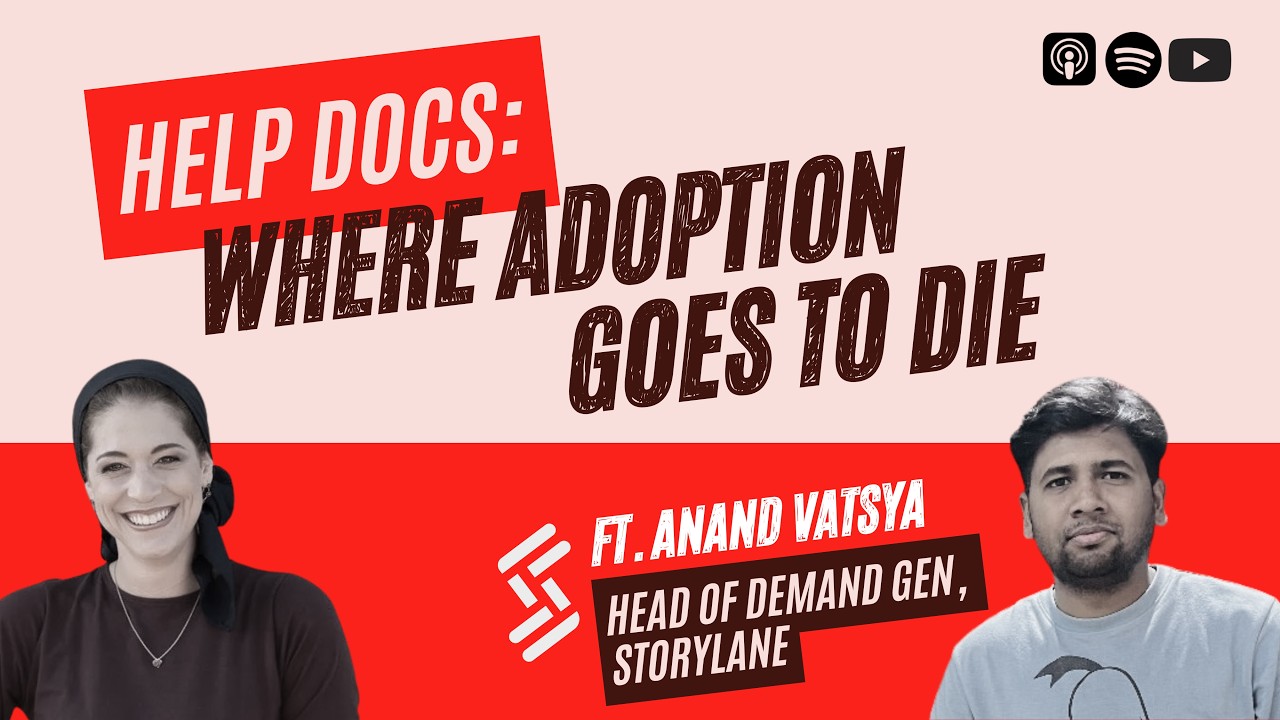
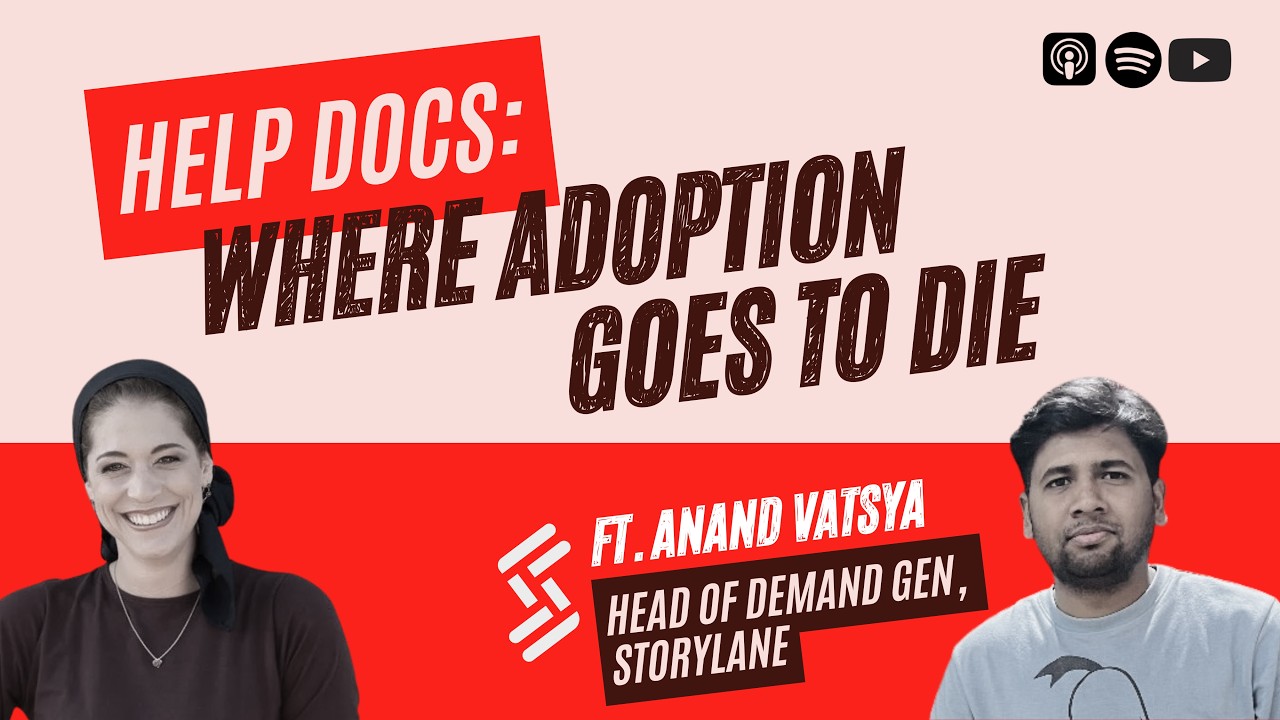
Nikki (02:10) Our guest today is Anand Vatsya, head of demand gen and outbound at Storylane.
Nikki (02:14) the super awesome interactive demo creation platform. Anand has spent a decade in SaaS across zero to one and one to ten.
Nikki (02:21) his view on marketing is that there are a lot of great strategies out there.
Nikki (02:25) And almost none of them are right for you at your particular stage, motion, and market.
Nikki (02:30) Which tells you something about how he evaluates experiments. And that's why we got to the depth that we did. He didn't settle for V1. We got all the way to V4.
Nikki (02:38) So let's start by reading the customer's review.
Nikki (02:41) Okay, so what do you dislike about Storylane? Difficult to quickly edit redundant screenshots when demo is 20 or 30 screens. No documentation to address issue. Decided to quit and go with Arcade over this issue. So this guy already churned or woman already churned, which is like,
Anand (02:53) probably. Yeah.
Nikki (02:55) especially because if you look here, thanks for sharing your feedback. For clarity, Storylane does offer quick editing, a feature many of our customers use to manage 20 to 30 screen demos in just a few clicks.
Nikki (03:05) we understand every team has different needs and we encourage comparing tools based on current capabilities.
Nikki (03:10) Twenty screens, thirty screens. That is not somebody who never gets started. That is somebody who got good. They were deep in the product. They were building the biggest, most ambitious demo They'd ever built. The kind you build when the demo actually matters. When there's a deal hinged on it working.
Nikki (03:24) And somewhere around probably screen seventeen.
Nikki (03:27) the way that they'd been building until then just got too hard.
Nikki (03:30) Storylane wrote back to their complaint and said
Nikki (03:33) You can do what you're trying to do. We have that capability. We can make it easier for you. And they were right. The capability was there the entire time.
Nikki (03:40) So the obvious lesson here is fix the doc search. The customer said there was no documentation. Go write the better documentation.
Nikki (03:46) Add better titles, better search, Done. Except Storylane already does that really well. Take a listen.
Anand (03:52) actually we do that at Storylane, right? And that's just one part of the puzzle.
Nikki (03:54) Nice.
Anand (03:56) we have this channel where the G2 reviews of ours as well as all our competitors come in. you can get
Nikki (04:02) Wow.
Anand (04:02) that directly inside Slack. And it helps with competitor intelligence, of course. But then it also helps us understand, one, from a product documentation perspective, where are the gaps there? So for example,
Nikki (04:12) Mm-hmm.
Anand (04:13) if somebody's talking about…
Anand (04:14) there is an integration I wanted to do in the tool and then I was not able to but then there's a documentation for that. So we would then go to them Hey, did you read this documentation? He's like, I did not find it. I was not able to find it. So maybe the accessibility is a problem or maybe the documentation was not there itself. Right. So
Nikki (04:16) Mm-hmm. Mm-hmm. Mm-hmm.
Anand (04:30) then you get the idea that, okay, this is a gap in my documentation. need to find that. That's one. The second thing is you read that and then you understand, okay, maybe if this is a recurring theme,
Anand (04:40) like a few people that comment, maybe you could do an office hours, like a fortnight
Nikki (04:43) Mm.
Anand (04:44) or a weekly office hours and invite your customers who are like, you can just invite everybody, but then people who are actually facing that problem, they would be more than willing to come and know about it, right? What are you doing there?
Nikki (04:54) Yeah.
Anand (04:55) And then the third thing I would say is that,
Anand (04:57) we need to look at it in a way that it does not become persistent for a long time so that it does not become a cause for churn,
Nikki (05:02) Yeah.
Anand (05:03) in our team, somebody takes care of that. They need to make a note of all the features that are being seen, not in a very positive light. Like people are struggling with that or not able to understand the outcome of it, make a note of it and to make sure that if this is really important, just generally.
Anand (05:21) You cannot always do one to one here, right? But the idea is that if two, three people are flagging about the same thing, you make a note of it and you make sure that there is enough documentation, enough enablement materials for that. So we do that, yes.
Nikki (05:33) That's so cool. Awesome. Cool. How often do you do it?
Anand (05:36) So we have like this, we have like a huge CS team, right? So we have people who take care of this documentation. Their core parts just keeping the documentation updated. There's no timeline as such, it's a consistent thing.
Nikki (05:49) So they pipe every review into Slack. They staff a team on it. They catch the recurring themes. And they turn them into articles continuously. It has a standing job. This is a company doing documentation right. And this customer still left over a feature that was documented.
Nikki (06:05) Because here's the crux. You can be excellent at answering your customers' questions and still lose them.
Nikki (06:11) Every help doc in the world sits behind a search bar or a help widget.
Nikki (06:15) And it takes a customer actually typing in a query to answer their question. They need to proactively ask to get an answer.
Nikki (06:22) You have this capability and they didn't know about it. And this is
Anand (06:25) Yeah.
Nikki (06:25) exactly, the work that I do and, what I want to see more companies doing when you have something and they don't know about it. And this is such a common theme. happens across the board everywhere. And obviously
Anand (06:36) this.
Nikki (06:37) We can't show them everything always it's impossible. we have very robust products. We have all sorts of different use cases and lots of different users, but this kind of thing does happen very frequently. aside from the documentation, bringing it earlier that they don't even have to look for it as a help. they're not looking for the help doc.
Nikki (06:53) because they get the answer before they even think to ask the question. let's say they do a demo that is 20 screens. There should be some sort of pop-up message that says like, hey, you know, you can quickly edit redundant screens. Did you know that? Here's how to do it. Quick little video, something like that. within the actual product layer versus, man, you know, I have this 20 to 30 screen thing and now I want to, know, that they have to go and look for it.
Nikki (07:17) So what change flag is this?
Nikki (07:18) To the customer, it looks like a feature problem. They couldn't find a feature. But features is a side on the platform flag.
Nikki (07:24) And the platform flag is about what you do.
Nikki (07:27) You ship something, you launch something, you change something, and the customer doesn't notice.
Nikki (07:32) Platform triggers are always on your end. Storylane didn't ship anything new here. Nothing changed on the platform at all.
Nikki (07:37) The quick edit capability was sitting there the whole time. What changed was the customer. They came in building small demos and got ambitious. Their demos got bigger and heavier and higher stakes until they were 20, 30 screens deep.
Nikki (07:50) At that size, the way that they had been taught to build demos, the beginner way, the way you learn in your first week, that way stopped scaling. They didn't need a feature. They needed to be told that they had graduated and that people at their level work differently.
Nikki (08:03) That's a mastery flag.
Nikki (08:04) It lives on the account flag because it's a change in the customer, not in the product.
Nikki (08:09) It gets raised when your customer outgrows the way you taught them to work. They get better. Their work gets harder. Their outcomes get higher stakes. They are ready to take it up a notch.
Nikki (08:18) And if your product just keeps letting them grind away at the beginner workflow, doing it the hard way, hitting the same level outcomes they already outgrow, then one day they wake up and realize your product just isn't worth it anymore.
Nikki (08:29) Nothing breaks, nothing is wrong. things just aren't right enough for them.
Nikki (08:33) and here's what makes this flag so frustrating and fixable at the same time.
Nikki (08:36) We can see this data.
Nikki (08:37) We can see when a customer is ready to level up. We can see this data. We just don't usually track it. Storylane could see this flag.
Nikki (08:45) A demo crossing 20 screens is a number sitting right there in their product data. It's measurable.
Nikki (08:50) It just isn't the type of thing that the SaaS playbook tells us to watch.
Anand (08:53) The only concern, I mean, you just off the top of my mind, while looking at this is it might also coincide with a few other things. So to give you an example, when somebody is at the end of the demo that they are creating, we would also want them to understand from a purely best practices perspective, if this is the best that you could build, Of course, one is outcome.
Nikki (09:09) Mm-hmm. Nice.
Anand (09:12) The second is the process,
Nikki (09:13) Mm-hmm.
Anand (09:14) So we would also want to tell them that, you could make these changes in your demo so that
Anand (09:18) anybody who's going through this will have a better experience. Now in this case, the person is talking about their own user experience, What I'm talking about is how a visitor visiting the website might perceive the demo, right?
Nikki (09:28) Mm-hmm.
Anand (09:29) And of course, both are important. So, then we try to give a bit more focus towards how the demo would be perceived. And we are making changes in the editor as well to show the person some cues, some tips on crucial points.
Anand (09:41) to enhance their demos. It
Nikki (09:43) Hmm.
Anand (09:44) might get difficult sometimes to talk about the editor or the buildup at the same time where you also want to talk about the outcome because you only
Nikki (09:53) Right.
Anand (09:54) have a very small window like maybe like a small bubble which can accommodate two sentences right but then yes I 100 % agree with you. it
Nikki (09:59) Yeah.
Anand (10:01) is possible that they know about these things without the question even popping in their head I mean there's nothing like it right.
Nikki (10:07) Yeah, yeah, yeah, that's a great point. I love that you're thinking about their users and their outcomes versus just
Nikki (10:14) their user experience. Because yeah, like you said, it's important, but it's not as important.
Anand (10:19) Yeah, I mean if I can say this that end of the day their CRO would not matter if you are taking a bit more time to create that demo if the demo turns out to be good and then if you get like say for example 10 leads in the first one week, right? And the CRO would be more happy with that. So there's that trade off always.
Nikki (10:34) Yes. Exactly.
Nikki (10:37) So we have a constraint, which I love, because constraints always bring out better experiments.
Nikki (10:42) The pop-up I just proposed fits about two sentences of information. And Anand has two different things that he needs to communicate. One is how to build the demo, that's the customer's own experience, and that's what this churned customer is struggling with.
Nikki (10:56) But the other piece is how the demo will land.
Nikki (10:58) for the buyer watching it.
Nikki (10:59) Which she points out is the thing that actually decides.
Nikki (11:02) Whether their CRO
Nikki (11:03) allows this tool in their tech stack.
Nikki (11:05) Two messages, one bubble, and he would rather aim it at the buyer. And yet, if we don't keep the builder, we're never gonna hit the buyer. So, how do we get around this?
Nikki (11:15) the first time they are logging in and the first time they're using the software, that's where we're talking to them about usability
Nikki (11:22) Like, okay, you can do a quick edit. And then the second time they go in, that's where we start talking outcomes. Like, hey, actually, your demo has 30 screens. No one wants to sit through that. best practices say 20 screens. How
Anand (11:34) right?
Nikki (11:34) does that sound?
Anand (11:36) 100 % that's something that always happens and that is probably the first thing that we recommend people that whenever your explainer is getting a little bigger than what it should be like the ideal is around 12-15 steps you can always segregate them into multiple chapters chapters which stay inside the demo and it's good for people who are viewing it as well because after a sales call when you are sending this demo so it has both like Storylane has a both marketing and the sales use case as well
Nikki (11:59) Cool.
Anand (11:59) So when you
Anand (11:59) are sending this to a prospect after the one hour zoom call, they can also just look at it by themselves. But then if there are different chapters catering to different personas, different decision makers in the company, then each chapter could cater to each persona. They don't have to go through the entire recording. just like within five minutes, they get the context of whether this will solve their problem or not.
Nikki (12:20) Catch what happened there because it went by pretty fast. I said, tell them to cut down to 20 screens. Anand said, no, 12, 15. And then chapter the rest. So the CFO can skip straight to the part that's for him.
Nikki (12:31) the IT team can skip straight to the part for them. That's not a shorter demo. That's a better demo.
Nikki (12:36) Building a better demo is a different skill. One that takes mastery. It's the level up that our churned customer was ready for. when they hit screen 17 and started fighting with redundant screenshots.
Nikki (12:48) They thought they wanted to make building a 30 screen demo easy.
Nikki (12:51) What they really needed to be told
Nikki (12:53) is that the answer isn't a 30 screen demo at all. That's what Mastery Help looks like. Not here's the button.
Nikki (12:59) But here's how people who are experts do this job.
Nikki (13:03) And then would it make sense to when the person is first creating their demo for the tool tips and the pop-ups and all that to focus more on the usability and the actual editing the dashboard and all that. And then the second time they go in and review it, let's say, or are presenting it to
Nikki (13:22) someone else on their team, that's when you start talking outcomes or the outcomes are really important and you want those off the bat.
Anand (13:28) So outcomes are really important, end of the day, because you want this demo to do something for you, right? it can have a very clear impact on your leads or revenue or pipeline, But the way we segregate that is the editor experience is 100 % important. That is actually the reason why people come to Storylane. They say that user experience is very simple. So what
Nikki (13:48) Yeah.
Anand (13:48) we do is before you actually publish the demo, those tooltips could be about your experience of building the demo, how we could…
Anand (13:56) simplify it how we could ease your experience and once you hit publish then let's say there is probably an AI there that could just review the entire demo very quickly and it is taking its learnings from the documentation for example or something
Nikki (13:59) Mm. Mm.
Anand (14:10) internal knowledge base that we have built and it quickly flags
Nikki (14:12) Mm.
Anand (14:13) five things that hey this is great demo but before you embed it or before you share it somewhere you could fix these five things
Anand (14:21) to the score from let's say a current 72 out of 100 to let's say 89 or 95.
Nikki (14:29) That's a really great point that now with AI you don't even have to tell them like hey best practices say demos are 20 screens not 30. Go back and cut the ones that you think are extraneous you could just have the AI do it for them like hey we spotted these 10 extra screens.
Anand (14:47) Yep.
Nikki (14:48) know,
Nikki (14:48) hit approve and we will get rid of them and your demo will be in that higher scoring demo category. Nice.
Anand (14:54) 100 % yeah
Anand (14:55) that happens actually because we do have AI editor where you could just you don't even need to build the demo on your own you can just hit the AI button and then it will create the demo for you and yes I think the scoring bit that I mentioned I think when you are gamifying that it really stalks to people's psyche of getting as high as a score as possible
Nikki (15:15) Mm-hmm.
Anand (15:16) So then when you tell them that, because before if you do that, they might be, it's okay, you I know better. I'll just put it out. I know what works. But small nicks and nacks will probably help them improve their demo much more if they can get a higher score, if they can actually see that.
Nikki (15:30) Yeah, yeah, That reminds me when I was running Black Friday ads, I was playing around with some AI ad creator things and they were all awful the first batch
Anand (15:39) Okay.
Nikki (15:40) was awful and then I just decided to do it myself. and it gave like a little score of, this is a 100 % conversion rate. This is a 90 % conversion rate. And I was just like, do you have context here? Like,
Nikki (15:51) I think this is like a 5 % conversion rate, can you tell me why this is 100 %? I think
Anand (15:56) Yeah, exactly.
Nikki (15:58) they were definitely gamifying something and trying to get me to feel really confident with the ads,
Anand (16:02) Yep.
Nikki (16:02) is great, obviously, when it works.
Nikki (16:06) I'm curious,
Anand (16:06) was.
Nikki (16:06) do you have context? why it's an 85 % versus a 90 % versus a 72 %?
Anand (16:12) it's pretty easy to do that. You can always pick out references from some of the best demos of your other customers.
Nikki (16:19) Mmm.
Anand (16:20) So when you are saying that this demo from Gong, they have something like this, which you can implement as well. That Gong name itself rings a bell. And you're like,
Nikki (16:25) Go nice. Yeah.
Anand (16:28) yes, I want my demo to be something that the great
Anand (16:31) qualified designers and
Anand (16:32) product marketers at Gong have built.
Nikki (16:34) Mm-hmm.
Anand (16:34) That's one way. The second way to do is that, of course, there's not much studies that happen for interactive demo as an industry or a field. But
Nikki (16:41) Mm.
Anand (16:41) if you find reports there, you could always bring that into consideration and tell them that this study was done by Gartner. And they say that, for example,
Anand (16:49) having more than 15 demos usually decreases the amount of time people spend on your demos,
Nikki (16:53) And.
Anand (16:54) you don't need any further validation
Anand (16:56) that.
Nikki (16:56) The best help is the help that nobody has to ask for.
Nikki (16:59) And it should leave your customer better at their job, not just on stock. That's the standard that the help doc can't meet. Not because documentation is badly written or because the search is faulty, because documentation requires
Nikki (17:10) That your customer already know they have a problem, to name that problem correctly, to go looking, and then to do the work themselves. And even then, in the very best case scenario, they find the article, it's perfect, it answers them, they do the job quickly, well, they come back exactly as good as they were
Nikki (17:27) before they went searching around. They got unstuck. They didn't get better.
Nikki (17:31) V1 of our experiment, to address this review, only hit on answering their initial question. we had two messages and one bubble.
Nikki (17:37) and I was trying to divide up the bubble. First session, second session, Then we look deeper at the constraint. And saw that this is not a space problem. but a relevance problem.
Nikki (17:46) Building a demo and shipping a demo are two entirely different jobs. And they happen at two different times. Before you hit publish, you're a builder. And you need building help. after you hit publish, you're a seller. And you need selling help. Nothing has to compete for anything because nothing is happening at the same time.
Nikki (18:01) And once you know that you're showing up where it's relevant, look how deep you can go. Suddenly, you don't just add in a little tool tip. You build the whole experience around the outcome. Now we have an AI review that reads the whole demo against everything Storylane knows about building great demos. It finds the redundant screens.
Nikki (18:19) The exact ones our churned customer gave up trying to delete. and it offers to clear them in one click.
Nikki (18:24) And they never even have to ask. But it doesn't even stop there. It scores them a 72. Points them to an 89.
Nikki (18:30) And shows them a demo from Gong to really shoot for the moon. So the next demo they build, they build better from the first screen. That is so much better than support. That's strategic coaching. And it's the difference between saving a customer and growing one.
Nikki (18:52) One last insight I want to leave you with. And it's the reason that I think
Nikki (18:55) Anand kept pulling this whole conversation in the direction he did. Every time I went to Builder, how it feels to make a demo, how to get them unstuck, He went to the buyer. How the demo lands, whether it works, whether the CEO ever noticed that this tool exists. Look at how he pulls this perspective from his own experience as a user.
Anand (19:11) one product that I
Anand (19:13) like using actually two products, one
Nikki (19:14) Thank
Anand (19:15) Fibbler,
Anand (19:16) LinkedIn ads attribution. And another one is Clay. I'm a huge fan of both of these tools. I spent quite a lot of unhealthy amount of time on these two tools,
Anand (19:25) and
Anand (19:26) the reason I'm so loyal to them why I talk about them is what they help me achieve they make me the hero of my job
Nikki (19:31) Nice.
Anand (19:32) If somebody, let's say if my CEO asked me that you have been running ads for like three months,
Anand (19:37) we have spent like 100K on that, right? I don't know if we have gotten a positive ROI from that. I don't know companies came from that. I could immediately login Fibbler, pull up the dashboard, show it to you. Takes me five minutes, when a tool just makes it easy to achieve something makes you the hero in your job, it just makes it
Nikki (19:47) Nice.
Anand (19:55) easy to fall in love with them
Nikki (19:57) Yeah. And that ties back to what you were saying in terms of the usability versus the outcome. you want them to look good. at the end of the day, Storylane is here to make their job easier and better and for them to win. Yeah.
Anand (20:09) 100%.
Anand (20:10) This is a theory I heard I think in my previous company from the CEO that we need to make the customer the hero. And have thought a lot about that and I think these are the tools that today make me the hero of the things that I am working on. And that's how they want my trust.
Nikki (20:25) That's cool because you hear this catchphrase a lot you know the customers here the customers hero and i've always understood it in marketing you talk about the outcomes but that's another layer to do it within the product itself that you are making the hero. While they're using it helping them do their job well and feel really great and hit that out comes not just talking about the outcomes but it's actually bring them to those outcomes today.
Nikki (20:47) They don't just feel like the hero. They actually are. They actually are the hero because of what you did for them. Yeah.
Anand (20:51) Exactly, Nikki and you
Anand (20:52) know, there are competitors of these tools and I have tried them as well but the reason that I think this ties back to the first question that you asked for people who are actually building the demo experience for them is also important right but then of course you don't want it to coincide with the outcome then and there so first you help them build the right thing easily and then of course you can help them polish the outcome make the outcome look great as well
Anand (21:13) This is what is happening here. Like when I used other tools, there were just too many things out there or maybe they were not giving me the right data or they were asking me to go through too many hopes to reach where I want to reach. Both of these tools have simplified that. I don't have to think a lot. I just go there. And the first thing I do is I see the data that I need or I query the data that I need. The very first thing,
Nikki (21:35) Yeah.
Anand (21:35) So yes, they are
Anand (21:36) helping me do my job and the outcome looks great as well for somebody else who is seeing that. So both of these things are happening here. yes, ties
Nikki (21:44) Yeah.
Anand (21:45) back to what you asked here.
Nikki (21:45) Every tool that Anand is loyal to makes him a hero of his own job. Not the tool, him. And that's the thing a help center can't do for you, no matter how good it is.
Nikki (21:54) A help doc is a place your customer goes to when they are a damsel in distress needing to be rescued. You write it, you save them, they're grateful. It's a lovely little story. But your customer isn't the lead role.
Nikki (22:05) This customer who left Storylane wasn't stuck because they were bad at making demos.
Nikki (22:09) They were stuck because they were ready to get better. Thirty screens, real deals writing on them. They had outgrown the way that they were taught to work, and they were ready for whatever came next. That's the mastery flag.
Nikki (22:20) often misdiagnosed as a feature gap or a documentation problem, but it's really a coaching opportunity. And it's sitting in your product data right now.
Nikki (22:27) Everybody who has gotten more skilled at your product than when they initially came in. So go open your help center and look at your most read article. That's a slew of customers who all hit the same snag, went looking for a way around it, and found a document instead of a natural fit.
Nikki (22:42) And remember, help docs are just one place to start. Get the rest when you run through the rubric at nikkielbaz.com slash rubric.