Author: nikki_admin

  • Why accounts churn even after you shipped the AI feature they asked for

    Why accounts churn even after you shipped the AI feature they asked for

    Read time: 4 min  |  Change Flag: Market / Paradigms

    Thanks to Claude and Notion, my whole business runs on a wicked Kanban. Everything that’s worth anything shuffles through Upcoming, In progress, and Done.

    When a card hits Done, it’s out of my filtered view, so I just don’t see it. And every week, Claude archives Done cards, and I never look at them again.

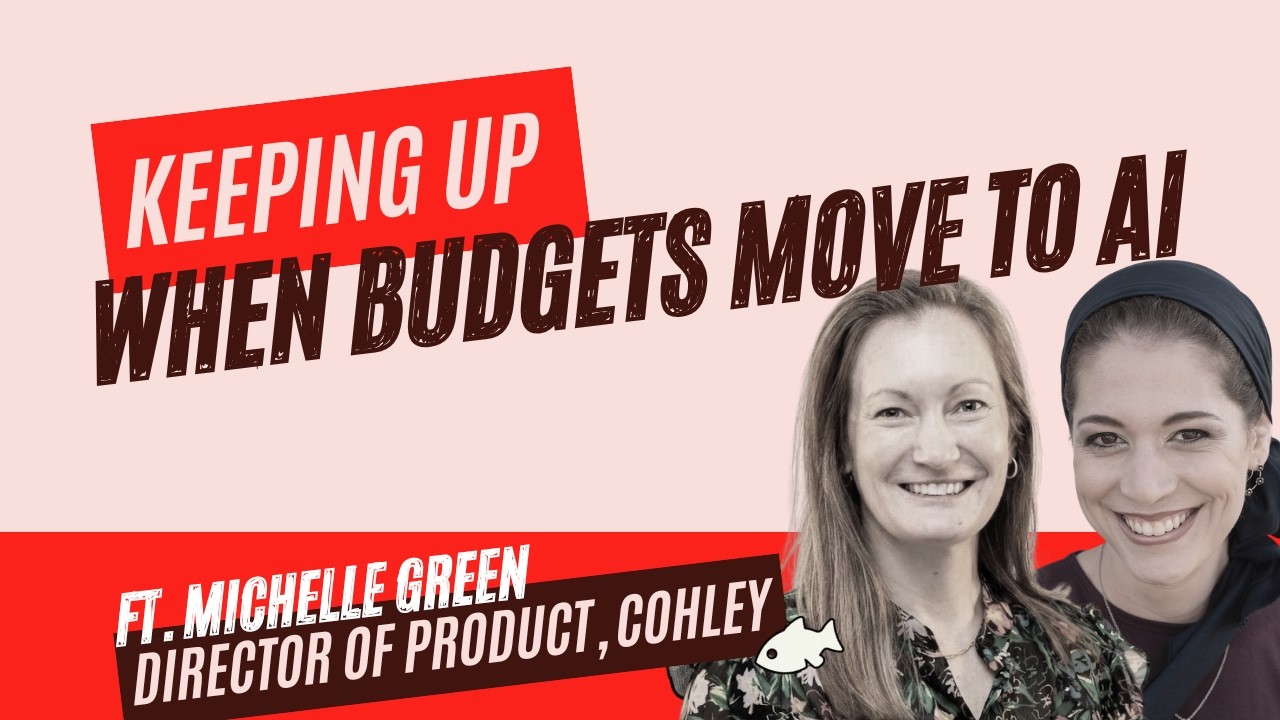
    Michelle Green says she thinks in boards. She’s the Director of Product at Cohley (a content marketing platform that matches brands with UGC creators), and she designs everything following the customer experience.

    “We try to think everything in flows… I’ve always focused on the next best action in terms of outcomes. When you are trying to get a specific outcome, what is the thing prior to that? Think about a Kanban board going left to right.”

    I loved the Kanban analogy as soon as she said it. It’s the most visual way I’ve heard anyone describe lifecycle design: identify the outcome, walk backward, then put the next best action exactly where the customer is waiting.

    Then – as I moved the “editing her episode” task card from Upcoming to In Progress, I found the caveat:

    Boards are linear. Cards move left to right. And when they hit Done, they get deleted.

    This is fine for cards. Once done, tasks (usually) stay done. But people? People are fluid. An account that hits Done a year prior can slide backward into any earlier column – and we won’t see it, because we deleted the card the day they reached Time to Value.

    Onboarding ends. The lifecycle doesn’t.

    Cohley has spent the past year embedding AI everywhere: creator matching from natural-language briefs, automated asset checks, onboarding that builds your brand knowledge as you go. New brands get a stunning workflow from day one.

    But the five-year accounts? They’re duplicating briefs they wrote in 2021, which means the AI is vetting their content against requirements from 2021.

    In board terms: those accounts finished onboarding half a decade ago. Card moved to Done, card got deleted.

    Then the product changed. And every one of these accounts suddenly slid back to a column nobody’s looked at since 2021. No board shows this slide backward, so the accounts sit there – getting worse results from a better product.

    Why churn looks sudden (but isn’t)

    Churn hits your dashboard as an event — a declined renewal, a cancellation email, a line in the weekly report.

    Lightning strike.

    But the customer rarely experiences their decision to let you go as an event. They experience it as a progression: months of sliding through columns you don’t see. Getting less value than they think. Hitting more walls than before. Quietly re-evaluating.

    Churn only feels sudden to you because your instrumentation doesn’t pick up the Done column – nor movement out of it.

    Rebuilding the board so cards can move left

    Try these 2 quick mental changes to turn a board appropriate for tasks into a board appropriate for accounts:

    Cards never delete. No Done column. Maybe a pause. Maybe a Done for Now. When the account hits Time to Value, it parks in Done for Now – visibly – and you expect it to move.

    Add the backward columns. You only need a few: platform-blind (using new features vs. missing them), value-mismatch (getting less than they could or ready for more), re-evaluating (decreasing usage, support tickets, crisis accounts). I like to use the 9 Change Flags.

    That alone is the bulk of the fix because the slide becomes movement you’re tracking – not a surprise you catch.

    For a company Cohley’s age, the best growth lives in the existing base (usually in exactly the accounts that make you work a little harder). A card sliding left is a warning – and we can catch it if we rethink how we view our usage data.

    In the episode

    The board is just one tiny topic in our episode; the full thing has lots more.

    There’s Finn, Cohley’s sparkly AI fish, catching rogue Nike swooshes in the backgrounds of creator kitchens.

    There’s my “Waterly” churn story – how I left a tool that I loved and recommended up until just one week prior to my exit. 

    There’s the push to move “creator-economy budget” into “AI budget,” and how companies can meet that demand – even if they haven’t shipped AI yet.

    And there’s the experiment we’d build first. It catches a minute of attention nobody’s using – and it’s pretty slick. Worth watching the full thing instead of reading this tiny tease: 
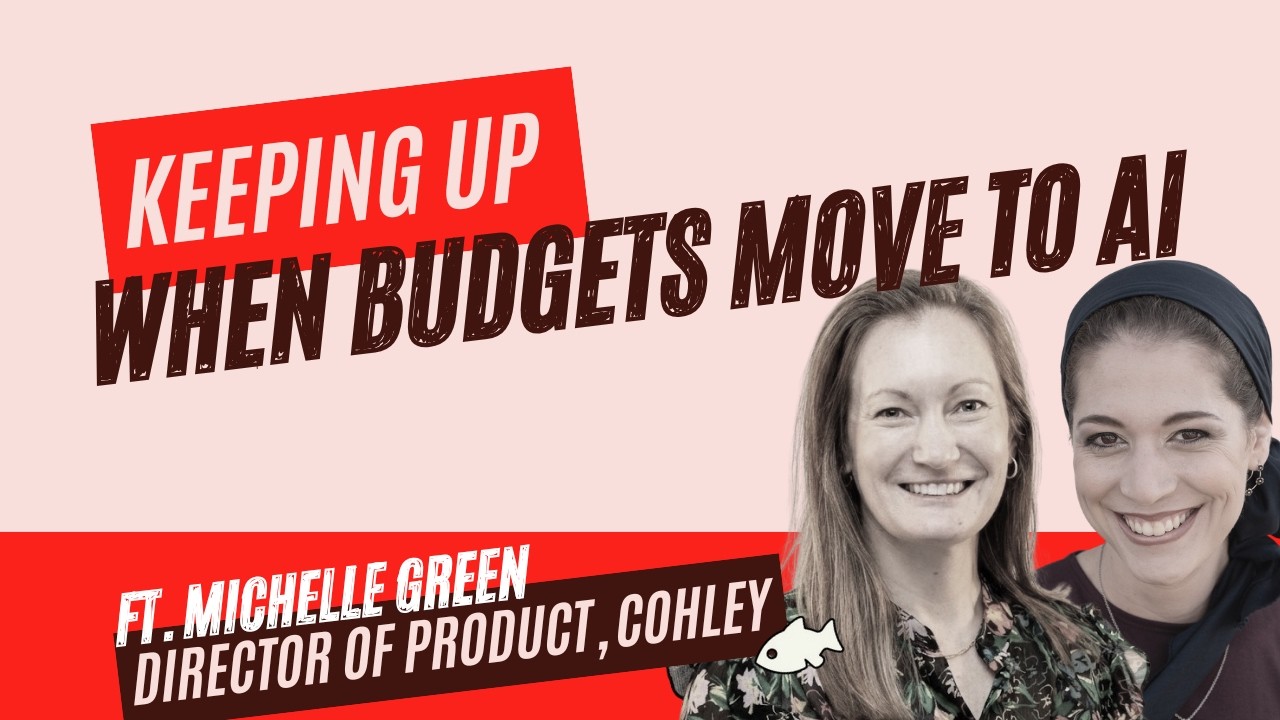

    Churn Flags Episode 2 with Michelle Green of Cohley

    Listen & subscribe: Apple Podcasts · Spotify · YouTube · everywhere else

    Diagnose your own Change Flags — free

    Nine Change Flags quietly push customers to re-evaluate you. Find the ones your product is facing in about five minutes.

    Get the free rubric →


    Read the full episode transcript

    Nikki Elbaz (00:00) There's this software that I love that I have been using for years. Let's call it Waterly. I am super happy with Waterly. With the product, with the support. I'm just really loyal to it. I rate every NPS score as 10, And I actually really do recommend it to everyone. That is, until a colleague told me that Waterly's competitor just released an AI feature that blows Waterly out of the water. This new AI feature is worlds away from any of the capability that Waterly offers. I did not want to switch. Migration is a pain, learning a new tool, eats a week that I don't have. And I genuinely just like Waterly better than their competitor. So I took the time to send a feedback submission and I asked Waterly if they have anything similar on the roadmap. They didn't respond. So despite really not wanting to, I switched. I just couldn't say no to this additional functionality. And two weeks later. Waterly opened a wait list for this exact feature. If I had known it was just a few weeks out, I wouldn't have swedged. It just wouldn't have been worth it. But they didn't tell me, so they lost me. I get it. The pressure to ship AI features is intense. But we need to understand that our accounts are feeling that pressure too. They're just feeling the pressure to adopt AI software. They don't want to switch away either. They're being pressured to. Unless you could show them your roadmap. Show them that in a few weeks or months. Your line item can say AI too. And that's the crux of our episode today. Every episode, I bring a guest a real piece of customer feedback. A three-star review, a Reddit RAN, a support ticket. And together we map the feedback to one of nine change flags. Change blanks are moments when something changes for your customer. it can be a change in their life, in your product, in the market at large. And these changes make them wonder if you are still a fit. Catch the change in time. And instead of them churning, they stick around. And if you do a really good job, they don't just stick around at neutral. They expand, adding usage, seats, upgrading. So again, we're going to open with a review and we're going to map it to a change flag. if you want to check out all nine change flags. Head to nikkielbaz.com slash workshops where you'll get the full breakdown. But meanwhile, let's read our review. Actually, first, let's say hi to our guest. Today's guest is Michelle Green, director of product at Cohley. Which is a content marketing platform that matches brands to creators to streamline everything UGC. I first met Michelle when sitting down to record this episode. but after talking to her for an hour, It is easy to see why Cohley and customers love her. She's got innate product sense. She sprinkles the product with the lighters. She thinks in flows. And most importantly, she's really in touch with customers. In fact, if you scroll down to the show notes and read her bio, you'll see that she says. that she approaches product development with a simple but powerful belief. The best products are built by listening closely to the customer. Well, it's not just a line in her bio, it's how she actually works. so let's listen closely to what one of Michelle's customers wants to tell her. I almost forgot. I'm Nikki Elbaz, bringing 15 years of SaaS marketing to these conversations. Welcome to Churn Flags.

    Nikki Elbaz (02:53) We have used Cohley for two years and like the UGC, but would like to be more choosy on who applies and sees our campaigns. we get a lot of people out of the country or off brand applying, even though the campaign states what we're looking for. So is this something that they can be more choosy about?

    Michelle (03:07) Now they can, they definitely could not two years ago. This is in 2021, so five years ago.

    Nikki Elbaz (03:13) Okay. This is an old one. What I liked about this one is that they specifically say we've been using it for two years and we'd like it, And then I wish there was this. And actually that does exist.

    Michelle (03:22) it's valid, right? Why have to go through tons of applications when you told me exactly who you're looking to work with? This is actually something where we have a version. It could be even better. So even if you were to tell me that this review is from this year, yes, are continuing to hear this because we can still improve. we felt like we solved it two years ago and now we feel like we can solve it even better.

    Nikki Elbaz (03:44) so even though Cohley shipped this solve two years ago, they're still getting feature requests for it. Hmm, that sounds like a change flag to me. The product changed, but the customer's picture of it didn't. Let's find the flag.

    Nikki Elbaz (03:56) I think we're working on market where like the world has changed. AI is now so requested And if you don't have it, if you're not communicating that you have it, that's going to be expansion opportunity or a turn risk.

    Nikki Elbaz (04:08) So this is a market flag, specifically a paradigm flag. shifts don't happen often. They only happen when something fundamental changes about how the world operates and in what our customers need from us because of it. COVID was an example of a paradigm shift, and obviously AI is too. Suddenly, AI is table stakes. No one is asking for it. They're just expecting it. Paradigm shifts shout at us to make changes. And fast. We don't have to listen hard. We just need to meet those changes and we know it. But before you tell me that you are moving as fast as you possibly can, might I remind you that the change flag framework is not about changing anything about your product, rather, changing your communication. I'll let Michelle explain.

    Michelle (04:46) Market has changed to where our brands are moving money from an influencer or creator economy budget to an AI budget. So we are at risk of getting cut if they don't feel that Cohley has adopted AI because they've been told top down to invest in AI.

    Nikki Elbaz (04:55) Mmm.

    Michelle (05:05) And so that's us communicating that we are AI first Cause if a brand didn't know we were working on that, they might have found another platform cause they're forced to move that money. however it's been line itemed, they have to say that it's on an AI first platform. And that's like a market change that we are seeing.

    Nikki Elbaz (05:11) Mm-hmm. Mm-hmm. So even if they're not actually using the AI features, they need to know that you have them.

    Michelle (05:29) well, that's, I guess, what's one of the beautiful ways that we have incorporated Finn into the platform you're using him regardless way we built the natural language search, the way we're building the onboarding, the way we have the asset analysis it's part of the platform. It's embedded. Our fish is named Finn. We named our fish. So Finn is suggesting functionality features. So like, you looking to save time? Have you tried filtering by these flags? Or you could say to Finn, help me find creators that match these requirements. And he'll be utilizing AI recommendations to find the best creators for you. So Finn is still in beta, so it is a very tight beta right now. I wish. I think he's more of a goldfish. But we shouldn't say he's in gold. I love that. But We have limited features right now, but about four new tools are in development. So we'll be slowly adding to his capabilities, which is very exciting.

    Nikki Elbaz (06:06) Is he a betta fish? Okay.

    Michelle (06:24) so we have launched a new survey that every single creator that is joining the platform must fill out. It's not our requirement. It's like 10 questions. It's nothing crazy, but it's helping us learn a lot more about them. So that way we can understand who they are as a creator without having to have months of data of seeing who they apply And we immediately match them with the best brief for them. then we're also tagging and scanning all their assets. So that way we can also understand, can you create the kind of content that the brand is looking for? And then from As an analysis perspective, we are giving them the same analysis that we're giving the brands. So can say, Hey, it looks like you had a Nike swoosh on your sweatshirt when you recorded this brand said no other logos. technically Nike could reach out to that brand saying, it down. little things like brand logos in your kitchen, brand logos on your clothing, on your shoes, brands do care about.

    Nikki Elbaz (06:58) Mm.

    Michelle (07:16) and so if you can say no other logos in the background and you're not having to painstakingly watch a 30 second video to be like, okay, is there a logo anywhere? And then I have to watch that again. Okay. Did they say anything that they weren't supposed to say? Like AI is flying and all of that. So one of the content creators that I was, working on this with, he was like, that's amazing. I totally didn't see that in the background. Now I can just add a little blur on it and be done. And it's a better first look for the creator too.

    Nikki Elbaz (07:41) Also, can they really even see their own kitchen fresh eyes? They can't see the logo. It's their coffee pot.

    Michelle (07:45) Right. That kitchen's always a mess. I don't even notice it.

    Nikki Elbaz (07:53) So Cohley actually shipped AI features already. A brand looking for UGC. Says who it wants, what it doesn't. And the AI goes and finds them exactly what they need. They don't have to write a million briefs. They don't have to sift through a hundred videos. They don't even have to check the clips twice. Cohley met that paradigm shift. Shrew, they're in the clear, right? Well, maybe.

    Nikki Elbaz (08:13) what about the people who are not in beta? Do they know that there's a beta and they're missing out?

    Michelle (08:17) So we're actually about to have the opposite problem where we have the perfect workflow for everyone new, and then the current customers don't know about it. So is everyone going go through onboarding? Are we going to say take a step back before you run your new brief, we need you to give us this information. people are stuck in their ways. there are brands that have been with us and I've been duplicating briefs for five years. Cohley is 10 years old those brands that have been with us so long, sometimes they're the ones that are actually the slowest to learn something new. they're in a platform blind, didn't even notice the change. it's on autopilot,

    Nikki Elbaz (08:47) The problem is that the AI features only work based on the inputs. That the brands share in each brief. So if a brand doesn't notice the AI changes and take the time to update their inputs, they're not going to get improved results. Despite the fact that the AI is embedded. Garbage in, garbage out.

    Michelle (09:03) people are duplicating briefs. They don't take a second to look at the non-negotiables that they've entered in the past. Even though we've told them, Finn is now utilizing these non-negotiables to vet content for you. Like, let's all take a second and really fine tune these and make sure that they're good.

    Nikki Elbaz (09:19) they might actually feel like they're getting value because they're getting creators responding OK, this video is great. Yay, let's go publish it. But they could be getting such better value. They could be getting more differentiated content. they think they're happy. They're not.

    Michelle (09:32) to do. Like, is it worth my time? Should I stop and take a conversation with you? How can we show them if you had told us this, we'd be using it here. make them feel like, I could have been making this better or this was made better because you told me that. Then it's like, oh, I'm glad I did that. We're trying to have conversations. If I've seen that someone hasn't changed them, I'm sending them an email saying like, hey, I think you could do better. I would suggest these instead. Some emails I got good responses from, some… crickets. So it's a little bit of hand holding for every single change that you make. And that's unfortunately not scalable. So at what point are you okay with some people missing out on all the new goodness?

    Nikki Elbaz (10:13) That might sound like defeat, but of course it's not. We're never okay with it. We just run out of hands. Michelle is emailing customers one at a time, And that stops the second she does. Doing it by hand doesn't scale. And when something doesn't scale, that's usually a flag that there is a moment that the change flag framework exists to catch. You won't win over every account, obviously. But we don't write these accounts off either. our company Cohley's age, the existing customer base is where the best growth happens. Often in the accounts that make us work a little harder. To get them to move and So the question isn't how many of these customers you let go. How many you just let do the old way? It's how do you stop doing this by hand? How do you stop emailing one at a time? How do you build the hand holding into the product? How do you scale it? Let's get into how.

    Michelle (10:55) majority of our brands, have a monthly meeting. our team is there to help. they guide on the strategy. So what is your strategy for your product launch? You're just now getting on TikTok. You're getting on Amazon. You're getting pressure from your Walmart and Target reps.

    Nikki Elbaz (11:09) Is there a push in those monthly meetings to say, hey, did you update requirements? You're non-negotiables.

    Michelle (11:14) I would love to say yes. Unfortunately, there's so many things that they need to touch on, right? The brand has questions. They have questions about the brief they're writing. Oh, we need to go over this new product thing. What about the one from six months ago that you still have questions about, I would love to say there's time to hit on everything. I think some brands, you just have to prioritize what's going to help them the most that day,

    Nikki Elbaz (11:37) in the monthly meetings it's too complicated. brainstorming, what are some great ways that we could be bringing these to the existing users once Fin is ready for everyone? What would be some great ways that you could bring it to the existing users besides obviously that classic like launch email?

    Michelle (11:52) he kind of sparkles. So the fish comes alive, if you will. I like the word sparkle, so that's what we're saying internally. But when you log in, Finn will be sparkling to get your attention, and we'll be able to do any new updates there as well. So anything that we want to improve from a KPI standpoint, any new feature that we want to roll out or make sure people are aware of, it's just a quick prompt change, and we can let Finn know to push this objective. We also are making sure that each

    Nikki Elbaz (12:15) Okay.

    Michelle (12:20) instance for Finn is very isolated and separate. So one brand's information will not impact another brand's information when they log in. in. And so we can know from the brand's behavior and actions taken in platform LinkedIn has like the percent to profile completion. Maybe we should do something new like that where it's like, okay, this is how confident we are in your.

    Nikki Elbaz (12:47) Mm-hmm. Thank

    Michelle (12:53) knowledge and our knowledge of your brand and how much we think we are differentiating you from other players in the space.

    Nikki Elbaz (13:00) Yeah, yeah, like little badges or something

    Michelle (13:03) So I think when it's natively part of the workflow, making sure it's front and center, making sure it's there when they need it and they have the information to then make the next decision. I've always focused on the next best action in terms of outcomes. when you are trying to get a specific outcome, what is the thing prior to that? when is that outcome the next best action that you want them to take? what's going to trigger that? So we try to think everything in flows, what is that next best action and where am I to see that? think about a Kanban board going left to right,

    Nikki Elbaz (13:32) I love this Kanban mental model. It's such a visual, smart way to plan a life cycle. And I especially love how Michelle says to think backwards from outcomes. Because when we use Kanban for tasks, they're very linear. Incoming, in progress, done. And when a card hits done, we delete it. But accounts aren't tasks. They're people with varying circumstances. something changes And the customer who was done a year ago suddenly needs something again and slides back to an earlier column. we don't see it because we deleted the card as soon as they hit time to value. That's what the change flag framework is all about.

    Michelle (14:01) So we have flags in platform We have a search capability we have the filter capability. we use Pendo. So we can do a pop-up, a loom video. I use the little icon with my face in the bottom left corner. So it's personalized always less than four minutes, short and sweet. we'll have a blog update every single month. And we will also make sure that our customer success team is up to speed. Not everyone reads. People log into the platform and they close out Pendo and they don't take the time to watch the video. So we have our resource center where they can always go back and watch videos. And then we also want to just make it super discoverable.

    Nikki Elbaz (14:38) you need the person to actually click the tooltips. But if they are just waiting while it's loading anyway, and it's telling you like, hey, we're checking your requirements, you're checking your legal FTC, putting in that. thinking text to help them see. I really should be updating my requirements. It's using those requirements, you know, like maybe even like spooling it out like checking your requirements that XYZ and it's like, that's not actually what I care about

    Michelle (15:02) Yeah, a hundred percent. love the thought of like, what are we analyzing? What are we looking at? Like I can upload a document with my guidelines. What did Cohley take away from that? did we learn these three bullet points will now be included in all your briefs going forward? Or was it like, okay, what you just uploaded, I learned nothing from you,

    Nikki Elbaz (15:20) Obviously, best case scenario, we don't nudge at all. We just build the change into the product so that people bump into it just by using it. Finn does this, you're using him automatically whether or not you know it. But when you can't make it automatic, Like when we need some manual input to help Finn give great outputs. You put it somewhere they already go. And that's why, out of everything we threw around, confidence score, the you miss this badge, the one that I'd build first is the loading screen. It doesn't cost anyone a minute of attention. Because the minute's already gone. They're sitting there watching it load. And it uses the dead minute to say the thing that the longtime customer needs to hear. Here's what's feeding your outputs. here's what we're checking for you. Here's the request you didn't even know you asked for. That's a lot harder to ignore. you're putting the information they need in a dead zone that they are already staring at. When a customer tells you What they wish your product did. Your first instinct is to build it. And sometimes you should. But that's not where most of us are weak. We're good at shipping. We do it constantly. We prioritize feature requests and fixes. And honestly, with how fast you can build now, shipping is the easy part. Remember Waterly? sure, they needed to adapt to the paradigm shift to keep up with their competitor. They needed to ship an AI feature. And fast. But they were. A two-week app isn't enough to churn their best accounts. No one switches for a two-week headwind. It was simply the lack of knowledge That the fix is only two weeks out. Again, not a gap in the product, but a gap in what the accounts know about it. You don't have to change anything to keep up. You just have to show them what you already have. The budget move to AI. Cohley already built the AI. What's left is just telling the customers what they need to know. So if you've been feeling the AI pressure, breathe a sec. Maybe your customers don't need it this instant. Maybe they just need to know that it's coming. And if you have already built it, an adoption is not where you want it to be. Put it where they're already looking at nothing. a card next to login. A loading screen while they upload. A snippet next to the share button. and if you've been asking how many of your users you can just let miss out on all the goodness that your platform has to offer. You already know that there's a different answer. Go to Nikki Elbaz dot com slash rubric. To diagnose the change flags. that are keeping your customers at risk and inhibiting your expansion. I'll see you in two weeks. Actually, I'm out of office on July 22nd, so I'll see you on July 29th Instead. Until then, catch that change.
  • The obvious product-adoption win — and most SaaS brands aren’t doing it

    The obvious product-adoption win — and most SaaS brands aren’t doing it

    When good comms aren’t good enough

    I may not be Deloitte or Michelin or UNESCO or any of the other cool accounts that use Paperform, but I still think I’m a dream enough customer. I’ve recommended the form builder to basically everyone I work with, I’ve hosted products there for years, and back when they had a referral program, I had a little pitch I’d copy-paste from my Stickies.

    Yet I missed one of their biggest launches in years — an entire new product — for four whole months.

    Not because they botched it. Diony McPherson, Paperform’s co-founder, walked me through the Stepper rollout on this episode, and it was the whole playbook: Product Hunt, socials, SEO groundwork, referral sources, newsletters, in-app banners… the works.

    This is a company whose Aussie founders set alarms every two or three hours through the night in the early years so they could answer live chat for US customers. Their comms are g-o-o-d.

    I missed all of it anyway.

    Announcements keep your schedule. Habits keep theirs.

    Every announcement is calendar-based — it lands when you ship. For it to work, the launch window has to overlap with the customer’s attention window, and attention windows close constantly for reasons that have nothing to do with you: a vacation, their own launch, parental leave, an assistant (increasingly an AI agent) deciding which emails deserve a human.

    Any single broadcast only catches whoever happens to be around that week. Run that math across a whole customer base and a “successful” feature launch misses most of the people it was built for — not because they weren’t interested, but because they weren’t standing at the window when the announcement flew past.

    My forms were running fine, so I had no reason to log in. An assistant was triaging my inbox, so the launch emails never reached my eyes.

    So how did I finally find Stepper? On an ordinary day, I went into my integrations tab to connect a form to my email platform — and there it was, sitting in the exact place it belonged, at the exact moment I had the need it could solve.

    That’s the more effective move: behavioral triggers. A placement inside the product — in a spot the customer visits right when they’re about to do exactly what your feature solves — doesn’t care what week it is. And it’s patient. An announcement decays the moment it’s sent; a triggered placement compounds, catching someone new every day, indefinitely. Four months late, in my case — and Paperform didn’t have to lift a finger to earn my adoption.

    I’ve been shouting from the rooftops for years about behavioral flows (ever since it sunk in that the 64% increase in paid upgrades I earned Doodle was less about my snarky copywriting and more about our strategic behavioral mapping — womp womp), and with the plethora of in-app capabilities these days, we’ve only increased the surface area.

    The launch, replayed

    “If we launch and it flops, which happens to a lot of people, you can always just relaunch.” Diony’s launch philosophy is realistic and persistent — and because we do still need to launch, it’s the best way to give your calendar-based channels some behavioral-trigger traction. Enough sends, and eventually one lands inside an open window.

    But placement is the cheaper, better version of the same move: one relaunch that never stops relaunching. So before you write the next launch announcement, list your touchpoints. The integrations tab. The template gallery. The export screen. The billing page. You can even work backward from the error message a customer would hit right before your new feature would have saved them.

    Every product or feature has a handful of places customers walk into holding a specific need. We earn more attention when we meet them there.

    The other two-thirds

    The Stepper story is just a third of my conversation with Diony (and it came as a total surprise).

    We open every episode with a customer review — the Paperform one asked them to become Qualtrics — and my opening diagnosis did not survive its first two minutes. (You should hear Diony take it down live rather than read it here. She’s so polished.)

    Plus the rename experiment I pitched that earned the fastest, most well-reasoned “no” I’ve ever gotten on a branding move (ten years of SEO equity will do that). Plus what happened when Paperform’s “Swiss Army knife” analogy meant nothing to customers. And finally, the experiment Diony did pick — not to mention the one that had already shipped the morning we recorded.

    Watch or listen to the whole thing below.

    Listen & subscribe: Apple Podcasts · Spotify · YouTube · everywhere else

    Diagnose your own Change Flags — free

    Nine Change Flags quietly push customers to re-evaluate you. Find the ones your product is facing in about five minutes.

    Get the free rubric →


    Read the full episode transcript

    Nikki Elbaz (00:00) Do you check your email every day? You probably think you do. And mostly you do. Except the week that you’re on vacation. Or underwater on your own launch, or if you’ve been there, the months that you take off for parental leave. There are real windows where you’re just not there. So what happens when a company that you love? Ships the exact thing that you’ve been waiting for right into one of those windows. You don’t ignore it. You miss it. And when you finally catch it, your reaction isn’t to shrug. It’s, wait, how long has this been here? I’ve wanted this since the day it shipped. That’s not a customer who needs to be sold. That’s a customer whose window didn’t line up with yours. You’ve probably heard that a launch should never be a moment. It’s something you have to keep doing and keep placing until your user finally trips over it. Today’s episode is the cleanest example I have got for this. Because it happened to me.

    Nikki Elbaz (00:47) First of all, I noticed it in app. I was not going into in app for a while. I had my forms running and I just didn’t go into it. And then I started noticing some emails from you guys, which also I was having an assistant run through my emails, so I wasn’t really catching my emails.

    Nikki Elbaz (01:00) And that me a power user. Missing an entire product for four months is exactly the kind of thing that this show is built to catch. Because here’s what we do on this show. Every episode, I hand my guests a piece of real customer feedback. A three star review, a Reddit rant, a puzzling survey response. Together, we build an experiment based on what the feedback is actually telling us. Did you catch that? Actually telling us. not just the surface ask, the shift underneath it. Because the SaaS playbook has trained us to read feedback one way, as a feature request. A line for the product backlog, Something to build or politely decline. But it misses what feedback is often really doing: Waving a flag that something has changed for your user. And they’ve started reevaluating how you fit into their life. I call these moments change flags, and there are nine of them that matter. Some of them happen when you make changes in your product. Some happen when things shift in your user’s life or in the market at large. We’ll tackle a different flag every episode. And here’s the really exciting part. If you catch one of these change flags too late, the user just slips away. No complaint. No warning. Gone. No, obviously that’s not the cool part. We hate when that happens. Here’s the cool part. If you catch a flag in real time. That same moment flips into expansion. The user goes deeper, they upgrade, they add seeds or usage that they didn’t even know they needed. Same flag, two outcomes. And this show exists to help you see churn As just another change that you can catch. to turn your riskiest users into your champions. I’m Nikki Elbaz, bringing 15 years of SaaS marketing to these conversations. Welcome to Churn Flags. we are looking at a review for Paperform with co-founder Diony McPherson. Full disclosure, Paperform is a product that I have been a little obsessed with for quite a few years. I am not a neutral party here. I’ve recommended it to basically everyone I work with. because I love both the actual product and the team behind it. The people behind Paperform are so breathtakingly intentional. They really truly and I I really mean really truly care. And I know that sounds like fluff that everyone says, but listen to Diony for just one second and you will see what I mean. Diony is offering 50% off Paperform Pro and Stepper Pro until the end of June. Check out the details in the show notes. So I came in pretty sure I knew which flag we were looking at. Diony took about two minutes to throw my entire thesis out the window. Gently, of course, but then she mentioned the thing that turned out to be the real story. Let’s read the review given to us by Shariq, who’s an executive director at a small business.

    Nikki Elbaz (03:20) Yes, Shariq. How can we help you, Shariq? What do you dislike about Paperform?

    Diony (03:23) Yeah.

    Nikki Elbaz (03:24) I wish I could use it as a full-fledged survey solution with built-in analytics such as Qualtrics. However, if that were the case, then it would lose its identity and it would be way outside of our budget. And then what’s cool is that Dean responded and he said, okay, actually we recently released our AI Insights tool. So check it out. Obviously, it’s not the same thing. It’s not Qualtrics, but it is something that can give him that outcome.

    Nikki Elbaz (03:48) So like I said, when I first read Shariq’s review, I was pretty sure I knew what I was looking at. I thought this was a mastery flag. mastery flags pop up. When a user has hit a level of sophistication with your product. when they’re ready for more than for what they originally came in for. When they’ve outgrown their initial use case. This is a classic expansion flag. Show them the next step. And they’ll increase usage immediately. And that’s exactly what I thought Shariq was telling us. He loves Paperform, He’s clearly advanced. And now he wants Qualtrics level analytics. Classic mastery, right? He’s ready to start using his data. Paperform should show him AI analytics. Done. So I brought that to Diony, and she brought in a whole nother angle.

    Diony (04:24) I don’t think it’s mastery because I think if the functionality I s this is my assumption, my intuition, is if I sat down and talked to Shariq that he actually knows Paperform’s product really well. and he might have even already found the AI insights. And he might want even more than that, which is what you know Qualtrics are doing, which is a really complicated analysis of data. And that’s why he recognizes that that’s not what Paperform does. But he’s like, man, I wish. Imagine if it did. And so we as founders have to reflect on that and say, is that is what he’s saying something that customers will just expect from form builders and we should consider it? Do we see it having integrity with the strategic direction that we have at the moment?

    Nikki Elbaz (04:52) Mm-hmm.

    Diony (05:07) Or is that going to push us into a niche in a category that we actually don’t want to live in, at least right now?

    Nikki Elbaz (05:15) So wait, it’s not a mastery flag? Did I just open my brand new podcast with a mistake? Deep breath, Nikki, you got this. Stay in curiosity here. jokes aside, this is actually something I see in my engagements all the time. Companies bring me in because I bring in a level of expertise on Life cycle marketing. But the team inside has an equally important level of expertise in their own product and user base. Often they have the insights and angles that can only come from deep inside experience. I can help them tease them out. I can bring in fresh angles. Sometimes I need to let go of my assumptions and listen. And when I do that, that’s when the real magic happens. Diony has seen this flag play out over and over again. You’ll hear more on this soon. but this is an insight that she brings From experience. I can’t just ignore it, Even though I’m a little panicky that we just killed our episode. Spoiler, we didn’t kill the episode. I just had to stop and listen what Diony said next. But first, let’s rewind to her initial reaction to the review.

    Diony (06:06) I’m not saying this just because I’m biased, but I I find the first part of that review really interesting too, in that the dislike is actually directly connected to what they love. They love that Paperform easy and intuitive, that it helps them to collect data but also integrate via Zapier and get their data where it needs to go. And then as an extension of that, the thing that is missing for them is that they get to do something with that data that has meaning. How do I make meaning of it? And that’s what, you know, something like Qualtrics will take all of the data that you have and analyze it and give you not just metrics on it, but insights in. to it. and then at the same time they recognize as they’re writing this down. I love, I love this actually. I do get defensive because I love Paperform. And I’ll be like, no no, we could do that. Or, no, you you just missed this thing. Or no, it’s not supposed to be that. But this one I don’t feel that way because I totally get it. they’re going through the process themselves of saying it would be great if you could be a fully fledged survey solution where you have the data and then do something very meaningful with it. With the analytics such as Qualtrics, but if that’s the case, then Paperform could lose its identity, or he goes on this philosophical identity crisis for us, which is great. And it would be way outside our budget. So the assumption that he is there is that it’s gonna be really expensive. So there’s some kind of understanding, Shariq clearly understands what it means to build a product, to manage a product, and also to run a product as a business and what that means about passing costs on to your customers. So I love this response and if from day one what we’ve grappled with, and I think probably everyone in product grapples with Is drawing the line and being clear about what it is that you’re offering and sticking to that vision and that brand identity as well, but product vision, and making that a very clear offering to your customers and not getting too sidetracked by the million and one things that you could become. So when I first see this, my initial response is, how wonderful that he recognizes that it’s not matter of saying, yes, we could add that or we couldn’t. It’s not about feasibility necessarily. It’s about asking whether or not it makes sense for the product and the solution that you’re offering. And then my brain immediately goes to however in 2026, with where Where dev is heading with AI and with who we are is very robust as a product. We’re not just surveys, we’re not just one question at a time. We’re payments, we edge into e-commerce, we edge into a lot of different spaces. And so offering really good analytics, which we’ve already done work on actually in the last year, but if we kept doing more, it it maybe wouldn’t be too far outside of The identity that we have built for ourselves and where people are expecting us to go with what’s available with

    Nikki Elbaz (08:46) So now I’m listening differently. And here’s what jumps out. Diony keeps saying that Paperform is way more than forms. Payments, e-commerce, scheduling, all these directions they’ve already grown into. They are constantly deciding which do more’s are worth it. And which ones would blow up the identity that they have carefully built? Deep analytics, the thing that Shariq is asking for. They are mostly choosing to pass on, although Diony is exploring the possibility. So now I’m curious, of all the directions that they can expand into, which do they actually say yes to? What do they build out and expand on? And that question is the thing that cracked open this whole episode. Because Diony told me something that took me totally by surprise.

    Diony (09:23) For Stepper, which is our new product, which is workflows, but works very closely with Paperform because it adds all of the integrations that you need to be able to do stuff with your data, with Paperform, with any number of of apps, but you know, create these full end-to-end workflows, which is, you know, you create you create one product like a a form builder like Paperform and then all sudden you realize that there’s a way bigger flow there from your customers that people need. And so it’s was natural for us to then move into work a workflow product. But we launch we launched Stepper at a really awkward time, which was at the end of end of last year. and Christmas and then events of earlier this year have stunted us a little bit in that energy. And so we’re we’re getting back to it.

    Nikki Elbaz (10:03) just saw it last week, two weeks ago, I thought that you just launched it.

    Diony (10:08) In some points what kind of feels like that we have as well. It’s it feels like yesterday. Yeah, it’s it really is very, very fresh. and we’ve got a a great response so far and we’re seeing a user base grow very healthily. which is really, really exciting. And what I haven’t gotten a great gauge on yet that’s next on my agenda is talking to Stepper and Paperform users and making sure that that there’s a there’s a really good exposure of Stepper to Paperform customers, which hasn’t, you know, you’ve just found out about Stepper now. hasn’t been as obvious.

    Nikki Elbaz (10:41) yeah, this amazing product launch that I missed until now, which is not so crazy. First of all, I noticed it in app. I was not going into in app for a while. even, I had my forms running and I just didn’t go into it. And then I started noticing some emails from you guys, which also I was having an assistant run through my emails, so I wasn’t really catching some my emails. So it doesn’t necessarily mean that you didn’t do your part.

    Nikki Elbaz (11:03) Did you catch that? That’s a real product flag. That Paperform is actively working to take down. Product flags are exactly this. You launch or acquire a new product, and then you are so busy launching it, usually to the general public, that you don’t take it all the way to the end. And ensure that existing customers are actually seeing it and adopting it. Let’s see how Paperform tackled their launch.

    Nikki Elbaz (11:22) was the assets when you launched Stepper?

    Diony (11:25) so we here we like to obviously go to a a very common protocol for a lot of people is product hunt. So going on product hunt for that moment. email our email newsletter for Paperform in particular was very important because we built Stepper largely because it I mean this this comes back to what Shariq is saying, you know, expanding your product, where are the limits of your product and how clear are you about the roadmap that you have that keeps the integrity of the product. We can see ways to expand on Paperform that really should be distinct products that work really nicely together, that, you know, we’re moving from being SaaS to Paz platform as a service. and workflows were a really obvious step for us. And so being able to expose Stepper to our Paperform audience is a no-brainer because it’s why we built Stepper is because we heard our Paperform customers asking for it, paper sign our other product as well. we we had people hacking Paperform to be able to create contracts, contract workflows, and we were like, no, no, no, we should be there are so many people doing this, we should produce an an e-signature solution that works really nicely with Paperform and and so we have that now. And so when we launched Stepper, we hit product hunt, we went on socials, and then you know, Stepper being a separate product, we had to make sure that it was able to set up on its own as well to new audiences. So we prepared, you know, a lot of SEO, a lot of we rely quite heavily for growth on champions, word of mouth, people genuinely loving the product and telling people about it. And the other half of what we do is content, SEO. And obviously now AI search, GEO, whatever people are calling it at the moment, is really, really important, but very tied to SEO still. and so we did a lot of prep for content and making sure that we could be found in search results for the general public. And then we had in-product banners for Paperform that said, Hey, you were building workflow on on Paperform, check out Stepper. And then we pointed to Stepper because it lives in the same dashboard

    Nikki Elbaz (13:24) the way I discovered it when I went into the integrations tab to connect the form to my email that was the most genius way because it’s literally where it lives. So yes, obviously there are more use cases that I am now using it for, other workflows. But when you’re talking to your existing customers, the way that you wanted it to be that your Paperform customers are using it, that’s the most. natural way that it should show up.

    Nikki Elbaz (13:48) Okay, so start with what just happened here. They built Stepper specifically for their existing Paperform customers. In Diony’s words, putting in front of us was a no brainer. So in addition to the public facing strategies, like product hunt or social SEO, they put it in front of customers, email comms, in app, pop ups right in the integrations tab, Right where a user would naturally reach for another tool. So why didn’t I see it? Simple. I was busy, like ninety-nine point nine percent Of your customers. Which is why it needs to go everywhere and not just go everywhere once, but again and again. Why did I eventually find it four months later? Because they kept sending me signals.

    Diony (14:23) Yeah, so our view of a launch as well, quite frankly, is if If we launch and it flops, which happens to a lot of people, you can always just relaunch. I wanna say that to anyone listening who’s thinking about launching a product or has already and is like, we launched and it just didn’t get that much attention. Just launch again. just relaunch.

    Nikki Elbaz (14:38) not even launch again. It’s keep launching, keep launching until everyone you hit that at least 25 % adoption rate.

    Diony (14:46) Yeah, make make a make a moment.

    Nikki Elbaz (14:48) Okay, so we’re dealing with a product flag? Actually, listening to Diony. I think we’re tackling something bigger. I think we need to move up a level to the third platform flag, perception.

    Nikki Elbaz (14:58) So I’m actually thinking that this is a perception flag where people come to you and think that you are a form builder because it’s called Paperform and it starts primarily as a form builder, but you’re so much more. And I’ve experienced this myself as well. Actually, I signed up years ago for the form builder and then you, I believe it was when you launched payments and I was like, wow, I can sell my products on here. Why do I even need ThriveCart anymore? I ended up keeping ThriveCart for other things, but it hosted a bunch of my products for a long time where it really had that capability. And when you had the referral program. That was always my little pitch was, this is not a form builder. This is so much more. You can do so much more with it. It can be just like a landing page where you’re like, instead of building a whole landing page on Unbounce, you are just putting the details here and there’s a little form submission for your lead magnet. and then boom, you have landing page and it’s so easy and so quick and beautiful. So I’ve always seen this, but it’s interesting. I wonder if the people coming in now are seeing this shift. And also I’m curious how you’ve given me that shift over time, because that’s pretty rare that someone coming in as a form builder sees that you are making all these shifts. So something’s going right here.

    Diony (16:10) Yeah, I’m glad I’m glad to hear it. you launch a product that’s really powerful, so Paperform’s really robust. And we launched it at a time when forms were either really robust and ugly or they were beautiful, like type form, but very simple, you know, conversational one survey, one question at a time. And there was nothing that met the need of of both of these things, which is why we built Paperform. When you build a tool that is intentionally not niche and is really robust in a space.

    Nikki Elbaz (16:27) Mm-hmm.

    Diony (16:37) Then you have to expect that you’re going to invite these conversations where people say, that’s great, it’s phenomenal, does all this stuff, but it would be great if it could also then extend into that full niche. And we see it, we see it with e-commerce. We support incredibly robust payments, really different use cases. People use this to create an alternative to Ubereats, you know, online food ordering for stores.

    Nikki Elbaz (17:01) Wow.

    Diony (17:02) shops, yeah, listings for real estate, or client service forms for, you know, cleaners who are booking clients where they need to stipulate exactly what kind of clean that they’ll need for like a commercial building and then they’ll in real time on Paperform they’ll be able to calculate based on hours and room sizes and all these complex things, they’ll use our calculations to determine a life quote and book them in because we have booking systems included as well. And so you have to decide whether or you know how much are we going to compete with We’re not a we don’t see ourselves as a direct competitor, or we didn’t to Calendly, but to be honest with you, we’re very much on par with them in being a competitor, but we’re known as a form builder. we don’t see ourselves as a competitor to Uber Eats for sure, but people are still using Paperform to create an alternative solution to them. And so you have to expect that when you make a really robust product that people will want it to do more. And the the default assumption with forms are that they’re just gonna be a survey or a contact form on a website. But forms use cases are there are as many different kinds of forms as there are stars in the sky. and so for us very quickly in the first year we realized that it was good that we s didn’t start out with a niche product because it fulfilled the needs of all these different use cases. So that’s hard when you start out like that because it becomes difficult to sift through you know Shariq’s point of at what point do you draw the line and say this shouldn’t be a feature of what we’re offering, the solution that we’re offering. And then to ex like the extension of that for us is how do you how do you then market that? How do you market all the different niches and use cases really well as a small bootstrapped company. You have to you have to think really carefully about that. It doesn’t mean that people don’t go on creating these use cases, but then whatever you highlight as a case study, what if that becomes what you’re known for? You know, all of a sudden you’re the real estate listings form builder. That’s great, but we do loads more. Yeah.

    Nikki Elbaz (19:02) Yeah, that’s let’s let’s dig into that right now. Let’s do that right now. So there are three experiments. three things that I’m thinking of right now one is big move

    Diony (19:05) Yeah, sure.

    Nikki Elbaz (19:10) And then one is a small move and one is like kind of like a middle work, could not. And you pick one. Okay. So number changing the name. So instead of Paperform, you are now paper flow. Okay. That’s one experiment that we can run through, the one that’s very small, subtle is you already have templates in the library. showing all the different use cases. What if it’s a very specific, I don’t remember exactly how the templates are because I just made my own template and I keep using that one. I have my use case and I’m set on that. But what if you created some sort of sorting to the templates so that it’s like use cases and then maybe also.

    Diony (19:47) so we have we we we have that actually. ‘Cause we’ve got now we’ve got over thirty thousand templates. So if you didn’t if you didn’t sort them then you’d be you’d be in trouble.

    Nikki Elbaz (19:52) Wow. So maybe it’s, it’s actually the communication around the templates so that you are creating some sort of flow, either in app or in email or both saying like, Hey, we have 30,000 templates. here’s all these use cases. How many of them are you using? That’s like the lower end, low risk. and then the middle ground pretty safe both ways is creating some sort of email campaign where. week you send out a case study use case sort of thing and it’s a series so it feels safer that you’re not going to be known for a specific use case. It’s interesting because people like reading about people so you’re you would be interviewing like a certain customer how their use case how they use it and turning that into like a piece of content and then it would be the series that would be informative and also almost kind of build that community as well. because people would be connecting to the other Paperform members. Which experiment do want to go with?

    Diony (20:45) are these experiments to directly address the issue of perception?

    Nikki Elbaz (20:50) that we want to show existing customers that Paperform is so much bigger than forms. So one of these things we’ll show that.

    Diony (20:59) no I think the last one is definitely for me it’s a standout compared to the other two. The reason being is we’re actually we’re literally today releasing a new onboarding flow. so we’ve had AI form creation for a while.

    Nikki Elbaz (21:04) Mm.

    Diony (21:12) But we now have AI form creation create from scratch, which is still, you know, a lot of people like to just have a blank slate and do it themselves, despite what’s possible. We have build by template and we now have over 30,000 templates. And we now spot the ability to upload an image or a PDF and say using AI, just transform that into a form in seconds. And so what we do as part of that is someone onboards, we

    Nikki Elbaz (21:30) Wow.

    Diony (21:34) look at what you’re after and then we automatically offer you existing templates and resources. So that smaller one that you mentioned, which is, you know, the the template filter, we’ve actually done that as of as of today, which is really exciting. The first one, the big one that you mentioned, I would not do. And the reason is when you rebrand, if you rebrand to something, I’m assuming that you’re suggesting something that is very neutral, like doesn’t mean anything, as a as a brand name to say this is a thick the thing that we are that that is the Swiss Army knife. So we started. Using the term Swiss Army knife before it was cool. And then everyone started using it. I think everyone feels like that. But we started using Swiss Army knife and it meant nothing to people. People were like, okay, that’s great, Swiss Army knife, but what does that mean for my specific solution? What we’ve found is that people are looking for forms. It’s just what people think is a form is is specific to them. So for example, you might be going, I need a form. Of course, it’s a client onboarding form. Or it’s an as it’s I haven’t filled out yours. It’s the it’s the it’s the prep form for the for the podcast, which I’m sorry, I’ll do it. that’s your idea of a form. For someone else, the idea of a form is a it’s a client intake form for a hospital. And all of their perception of forms is dictated by their industry. Or it’s a financial assessment. Or it’s a new account opening for a bank, or it’s a register for my soccer club. there are all these different kinds of forms, not just I’m gonna edge into e-commerce and create a store and all those sorts of things. So what we find is the predominant use is a variation of forms, but forms are expansive. So we’ve done so much work to build a presence online with SEO and now with AI search based off of Paperform. So if you’re going to change your name after 10 years of that standing, you better make sure it’s for a good reason. The risk of tanking all of your SEO, of tanking AI search, of being confused and not being clear about what you are. is huge. and so you’ve got to weigh it up. even if there’s a downside where some people expect more from you than what you give, if that is the five percent and the vast majority don’t have that issue, it’s way better to just have that. And work with those people. I like what Shariq is saying because those kinds of conversations make me think maybe that is where we should be heading. We should think about that. Maybe the answer is no. But he could be right. Maybe the expectation for form builders in general is that our analytics will be as good as Qualtrics or better because that’s just the standard that will come into play in the next few years because of what the tech can now do.

    Nikki Elbaz (24:14) I mean, I was thinking from the customer perspective, I remember when you rebranded visually and I was like, no, don’t do that. But it’s beautiful.

    Diony (24:22) Sometimes Dean and I are like, I miss our P, our folded P. I wanna go back.

    Nikki Elbaz (24:26) I remember thinking this is beautiful rebranding and I, I appreciate why they did it. And it, it, came through very nicely, but there was also this nostalgic no, don’t change anything. it’s definitely a big, a big step to change your name. It’s got a really good reason. going to the one of this new template. AI flow.

    Diony (24:44) just a new onboarding flow at the moment. But it’s a yeah, it’s an AI forward approach. It’s not AI only, but AI forward.

    Nikki Elbaz (24:50) That’s a good way of putting it. So if you would present it to your existing customers, would you also do some UI changes? Or are you doing some UI changes anyway for the new customers that the AI form creation or the PDF creation or all these new form creation options, are they front and center? When an existing customer logs into their dashboard from today, What are they going to see? Is it going to be different where it’s just their forms and they just go in and create them the way they used to create them? Or are we now going to see something different where it’s like, wow, I can actually change the way I’ve been doing this for the better.

    Diony (25:20) For existing customers, it’s not gonna look extraordinarily different because once you’re in, the options are to create from scratch. we tweak and change things all the time. So even the template experience has actually completely changed. Probably definitely from when you’ve seen it, but in the last couple of weeks and now if you if you do go and create using AI as an existing user, the change that you’ll see is you’re able to upload a PDF and an image. Which you haven’t been able to do before, and we found it was fragmented. It was like people were saying create from scratch, create form, create using AI or select a template. you’re right, we do want for everyone to just say, hey, I just want to make a form. And you open it up, and your experience is just all right, I’m gonna make a form and I’m gonna decide now if it’s gonna be with A. AI or from scratch or whatever, but I’m not gonna select these different paths immediately. It’s all really just the same thing using different methods. but we don’t find that too difficult to implement because we make product decisions really quickly and then just go and tweet them. But yeah, we should make it available to you guys really, really well, existing customers, and shout it from the rooftops. That’s when I definitely go in, do a newsletter, update up in product banner is really important, and then email, email comms and socials, really important for communication.

    Nikki Elbaz (26:28) I think it would be cool to see the onboarding flow as well. Like, hey, we have this new way of doing things. Are you interested in seeing that would be an optional re onboarding experience because it’s a new way of creating the forms.

    Diony (26:42) Yeah. Yep, that’s a r a really good point. That would be fun.

    Nikki Elbaz (26:46) Yeah. mean, like, obviously I love onboarding, but I think it could be really helpful to see all these new things that you just keep launching and keep creating for that are so customer focused. They’re going to want to see it.

    Diony (26:58) you’re right, it is really difficult to stay in really great communication with existing customers and get them across everything if they’re not opening. but in terms of the hey guys, all this has changed. that’s one of the most challenging things. And I found that by doing a blog post a video which I haven’t done in a while that recaps the quarter and being able to consolidate all of new feature and the important company stuff that’s happened as well and being able to package that up really well and send it to users and hope that they open their emails for that particular email and see the pop-up in the product. That’s that’s one of the best things that you can do and get it across socials. but consolidating the information for your customers is really important.

    Nikki Elbaz (27:37) So here’s where we stand with the experiments. The big swing got a hard no. the tiny tweak actually launched that same day. The safe bet got a why not? What we really landed on was keeping your existing customers in the loop. If you’re launching a new onboarding, they should see it too. Especially if things have changed drastically. At the very least, send a Roundup Update email. But the more channels you hit, the better. See, perception is the static problem. Your customer’s picture view is frozen. So they’re not out looking for the new thing you’ve built. They are not going to come find it. So placement is the fix. If they’re not coming to look, You put the new thing right in the path of something they already do. And you do it more than once. Because any single launch only catches whoever happens to be around that week. Two layers, one flag. Perception is why a broadcast slides past your existing users. And placement is how you reach them. And that is exactly how I finally picked up Stepper. I didn’t see the launch email. I didn’t see the pop-up. I definitely didn’t see it on Product Hunt or socials. I found it because on an ordinary day, I went into my integrations tab to connect a form to my email platform. Stepper was there, sitting in the exact place it belonged, at the exact moment I had the need that it could solve. That’s how Stepper roped me in. Not by luck. But because someone placed it where my work already lives. And didn’t give up the first time. I’ll give you a little bonus clip because it’s actually the whole reason this show exists. The brands that I work with are years past the scrappy startup stage and huge pet peeve of mine, They are still given startup advice, even though they have moved way past it. Here is an awesome vignette. from Paperform’s early days. how they’ve adapted as they’ve grown

    Diony (29:07) so it was Dean and I for the first couple of years. And I did support. it was I joke that it’s our it was our first baby because we’re Aussie. And from the get-go, 50 % of our audience was American and then 30 % European. So we were setting an alarm every two or three hours at night and getting up and having because because we wanted live chat. We needed to be able to talk to people in real time. That’s not sustainable. No, I don’t, I’m not advocating for that for anyone to do for any prolonged period of time. We chose to do it for a time. and then we

    Nikki Elbaz (29:29) blown away.

    Diony (29:36) And then we found a better way to scale it, but we continued to have personally very close relationships with customers. And even now I still have a very direct relationship with a lot of customers. But then we hired a team and then we had to think about how do we how do we educate them not just on answering the ticket, how do we get them to really do customer success in a way that champions everything that we’ve found works for a good relationship with customers. And then sometimes it’s going really well, And then without realizing it, you you’re not passing on some tribal knowledge or something that’s important. And then you feel a disconnect from your users and you maybe make some decisions that aren’t as connected. and then you and then you go back and look at how can you strategically rein that back in and get close to them again. but I think for any business as it go grows through different stages, with all of the operations, but especially with staying close to customers like Shariq and you, Nikki, it’s about making sure that we’re figuring out how to do that well at each stage of growth. And the minute you start lose a bit of that connection, has happened to I think every business as they grow over time, you learn how to then reconnect with your customers and stay close to them at different stages of growth

    Nikki Elbaz (30:45) And there’s the answer. The instinct. Stay close to your customers. Never stops being right. What changes is the shape that it takes. The two o’clock in the morning alarm becomes a team, a webinar, a system. Something you keep rebuilding at every stage. That’s what the nine change flags are. Nine places where connection quietly breaks, and a way to catch each one before it costs you a customer. I built them out into a rubric. So you can quickly diagnose the flags that you are facing. Grab it at nikkielbaz.com slash rubric or check out the link in the show notes.

  • Migrating to Kit from ActiveCampaign

    Migrating to Kit from ActiveCampaign

    Once upon a time, when I first started my email list, I debated between Kit and ActiveCampaign.

    Kit (formerly ConvertKit) was a serious contender, but ActiveCampaign won.

    ActiveCampaign was just so so robust.

    I felt like there was nothing I couldn’t do in ActiveCampaign.

    And since the thought of migrating down the line sounded awful, I wanted to choose something that had capabilities that could handle me forever. (No, the irony is not lost on me.)

    But the clincher that sold me on ActiveCampaign? A feature.

    In ActiveCampaign, you can A/B test within automations. In Kit, you couldn’t.

    And I love testing stuff.

    Half the reason I even have an email list is to use my subscribers as a lab rat for things I’m considering trying on clients. (And yes, you too can be a lab rat, just by inputting your details in that teal box above!)

    Plus, not being able to test something evergreen seemed like something I couldn’t manage without. Evergreen results are more significant – and what you do with the results can be so much more impactful too.

    So, into ActiveCampaign I dove, head over heels in love with the platform.

    I was in TOTAL honeymoon phase.

    I gushed about ActiveCampaign to anyone who asked.

    Until Strike One

    We tried to redo our re-engagement flow, using their recipe for the technical set up.

    And…

    It didn’t work.

    Disengaged subscribers weren’t getting the re-engagement emails. But muuuuch worse, engaged subscribers were!

    It was a mess. We turned off the automation and contacted support.

    Chat didn’t prove very helpful.

    Hmmm.

    I booked a 1:1 call – something it seems like they offer once per non-enterprise customer (don’t quote me on this, that’s what it seemed like). That would do the trick, right?

    Nope… she had no clue what was wrong with the flow and… suggested I use their recipe. 🤦‍♀️

    Ok, fine, no re-engagement flow. Not great – especially since I was kinda preaching about re-engagement flows at the time.

    Looking good, Nikki, looking good.

    That’s when honeymoon phase ended. When I realized that ActiveCampaign is a giant conglomerate and couldn’t give me the support I needed.

    Fine, it’s okay, I could reach out to an ActiveCampaign specialist to see if we can figure it out instead, right?

    Well, turns out, there aren’t a lot of ActiveCampaign specialists. All the ActiveCampaign specialists I knew aren’t ActiveCampaign specialists per se – they’re tech ppl, who also have a decent handle on ActiveCampaign.

    Given that I knew 4 Kit specialists off the top of my head, this felt kind of meh.

    But okay, tech people can do the job too.

    Until I got a quote: 3000 buckaroos to fix my re-engagement flow (and a few other things I threw in that were NOT big fixes).

    Um… I’d rather just not have a re-engagement flow. I’m not an e-comm store or giant brand that needs super duper deliverability.

    The lightbulb moment

    Having to pull together a list of small fixes that I wanted this 3K specialist to implement made me realize something:

    Each of the fixes was something that I could actually do myself – or assign to my VA, Pesi – but for some reason… I didn’t.

    Why?

    The thought was always in the background, but now it was brought to the forefront: while ActiveCampaign is super robust, it’s also super unintuitive.

    I started realizing that I hated going into ActiveCampaign. I always thought it was just that it was so so sloooooooooooooooowwwwwwwww, but no, it was also because everything took a thousand clicks and zoom-ins and things were labeled very similarly but unintuitively.

    And because of this, I never went in to view results. Never updated automations. Never built new ones.

    I half heartedly tried assigning these things to Pesi but 1) it’s not like she was raring to do it either and 2) I’d never get around to properly assigning exactly what I wanted because it meant going into the platform to get clarity on what I wanted.

    So all those A/B tests that I was so excited about? They were doing nothing except exciting those of you who sign up with two email addresses to spy on my testing. (Who’s the lab rat here after all?)

    The feature that won me over was basically useless.

    Enter: the competition

    Then I read a year in review from Nathan Barry, founder of Kit.

    And this line jumped out: “We’re now the only mainstream email provider to allow video to play natively in emails.”

    Cool.

    But more than the actual feature (don’t worry, I’d learned my lesson by now: 1) most single features aren’t as valuable as you expect them to be and 2) competitors can copy features anytime!) – I was reassured by the direction that Kit is continuing to take.

    Since that first bout of research when I was first choosing a platform, they’ve been serving “Creators.” That hasn’t changed over time – and they’ve really been giving it their all, in very creative ways.

    My favorite example of this is their address feature:

    CAN-SPAM requires every marketing email to include a physical mailing address. But most Creators work from home. And it’s a bit icky to share your home address on every email you send.

    So Kit maintains a mailing address that all their customers can use – and they’ll scan in any mail you receive and send it your way. (No packages though, bummer.)

    That’s the kind of “in the shoes of their target audience” kind of direction that has really been defining their direction.

    Meanwhile, every new feature that ActiveCampaign was putting out was either for the CRM or for their ecommerce customers. Neither of which is relevant to me.

    It was frustrating to be ignored – especially when I felt their UX needed serious improvement.

    My churn journey

    In short:

    The why was because that account was a mess and that I was too scared to go in and look at it.

    The push was seeing how Kit direction has stayed throughout the years – and how their product has evolved to serve that direction.

    And the trigger was the upcoming renewal of my ActiveCampaign annual plan.

    In long:

    Churn doesn’t happen in a vacuum.

    ActiveCampaign should have noticed that I stopped filling out NPS surveys. That alone should have been enough to trigger a retention campaign. (Wait till you see what happened when I canceled.)

    And forget NPS, anytime you hope to keep customers with you for a long time (um, all of us?), periodic reach outs and nurtures can mitigate surprise churns that have actually been percolating under the surface for a while.

    The migration process

    I knew migration would be a big deal, so I went to my calendar to block out the month of October for us to tackle it.

    And saw that both Pesi and I were taking vacation throughout the entire month.

    Umm… guess we’ll tackle it in September? I didn’t love the idea of dedicating one month to non-client stuff and then also taking off a lot of time the next month, but what can you do?

    And then I saw a Tweet from Jason Resnick promoting a half-rate day rate sale.

    Cool, it’d be great to have some help to ease up the work at a very inconvenient time. And also, I figured he could give everything a look through, clean up the messy bits, and make sure we weren’t making any crazy mistakes.

    So I reached out.

    This is something I’ve gotten very passionate about – ever since buying a high ticket course to take “next year” and then not needing it the next year. As my sister says: If it’s gotta be now, it’s gotta be no.

    And then, in July, I saw that Kit was running a promotion: switch by July 31st and you get a free audit. Plus, if you have 3,000 subscribers, they’ll migrate everything for you. Wowwwww.

    The only problem? I don’t have 3,000 subscribers.

    I reached out to support and asked if I could pay for the 3K plan, despite not having 3,000 actual subscribers.

    No siree I couldn’t. The wowwww turned into a wahhhhh.

    And then I got thinking… I thought I’d hire Jason for a day rate, thinking we’d handle the migration and he’d apply some band aids… but what if we had him do the migration completely?

    So, I sent a query and… decided to hand it off completely.

    I paid 4x what I would have if I’d jumped on the half-rate day rate. But I don’t regret the decision not to buy something I might not use.

    (And tbh, I’m not sure if he would have done a migration in one day. The whole process was very white glove.)

    So easy

    Before starting, I had to clarify a little strategy stuff. Organize which automations were important, which weren’t. Stuff like that.

    We had a kickoff call to hammer that out, along with timing and technical stuff.

    And Jason did the rest.

    Blisssssss.

    I even went off the grid for 10 days while he did his magic.

    And I came back to a wonderfully, beautiful migrated account.

    Exposing the underside……….

    It was a little vulnerable giving Jason access to everything – how many subscribers I have, how many products I’ve sold, all the numbers that quantify our “success.”

    It was uncomfortable because I think I should have “more.” Cuz the big bro internet ppl say I should. But also because I think I definitely have more opportunity that I’m not tapping into.

    And when I told him that, he actually outlined some strategies of how I could do that.

    Wouldn’t it be great if I could have told him without feeling guilty or “not good enough” about it?

    So, little pep talk to self: just cuz the gurus say you should doesn’t mean you should. And even if you think you should, doesn’t mean you have to beat yourself up about it.

    Saying goodbye to ActiveCampaign

    It was definitely kinda crazy to cancel ActiveCampaign.

    There’s so much in there that I felt like I was leaving behind – but that was just emotional. Logically, I knew I had everything I needed in Kit or in CSV files.

    The cancellation process wasn’t very impressive.

    First, it took Pesi several minutes to find where to cancel. Not cool AC. Not cool.

    Second, before processing the cancellation, they offered a 1:1 consult 🙄

    Too little too late.

    A customer shouldn’t have to wait till they’re frustrated – or jump through hoops – to get good support, sorry.

    But, I will say that filling out the feedback survey was oddly satisfying. 😈

    And they all lived happily ever after

    I knew when I hired Jason that he’d set things up more strategically than we could – but he completely exceeded my expectations.

    He implemented so many little things that I wasn’t expecting – things like naming conventions, suppression triggers, hidden fields – just the little stuff that you know makes a big difference when you’re deep in email tech for years.

    Honestly, my takeaway from seeing how he set everything up is that anyone starting an email list should hire someone to set it up properly. It’s not a fun opinion – most everyone I know wants to start when they’re scrappy. But it saves sooooo much headache down the line.

    But even more importantly: when you start with strategy, you can start monetizing faster, and better.

    Case in point: I have so many products that are just not linked to each other. I’m sure you don’t know half the products that I sell because you’ve never been pitched on them. Starting with a strategy would have given you a proper customer journey.

    Now I have the bare bones in place to make that happen. Prepare for a zillion pitches. JUST KIDDING.

    The other side of switch

    Honestly, I’m not in la la honeymoon land with Kit support – we had one tiny snag and Jason offered a better workaround than they did. I’m also still a little huffy about them not letting me up to the 3K plan to get the free migration.

    But they’re way more responsive than the ActiveCampaign support – and they’re also more invested in making sure you’re happy and that we reach a satisfactory conclusion.

    They’re just… nice.

    I also know that there will definitely be a learning curve with Kit.

    The last email I sent had super wide margins and the wrong sender name. (The margins took a day of support back and forth, still working on the sender name.)

    I have to get used to the whole template editor thing – instead of just being able to edit the design directly while writing.

    Things like that.

    No tool is perfect, I’m not in la la land.

    But so far so good.

    And that, dear friend, is the end of the story.

    Or maybe…… it’s just the beginning.

    Yes, you may now cue the violins and sunsets. Or vomit. Depends how much you hate cliches.

    P.S. A month or two before migrating, the Kit affiliate team reached out and asked if I wanted to be an affiliate. I jumped aboard and have been really impressed with how they treat their affiliates – they had a whole training course and sequence to greet me.

    And why, yes, of course you can use my affiliate link to switch, my pleasure. 😛

    I’ll even give you a 30 minute consult, free, if you do. We can use it to develop your content strategy, brainstorm offers, plan your welcome sequence, or even to talk migration best practices.

  • Your Kit* questions, answered! Part 6 of the Considering Kit series

    Your Kit* questions, answered! Part 6 of the Considering Kit series

    *formerly ConvertKit

    I’m surprised – this series garnered so few questions.

    Do you really have no questions???

    Well, by no questions, I mean aside from these:

    You mentioned a strong naming convention. I’m a naming convention nerd. Tell me more.

    We have two naming conventions we use in Kit: one for broadcasts, one for automations.

    For Broadcasts, we do: Segment we’re sending to – Name of the email/topic – Date sent

    Example: Podcast updates – Ep. 34 (Ness Labs) – 2.5.25

    For Automations, we do: Funnel location – Automation Topic – Segment

    Example: TOF – Customer Interview – GetUplift OR Post Launch – Email Mastery – WDYB

    How hard is it to migrate?

    I cheated and hired Jason Resnick to do the migration for me. You can read all about it here. Michal Eisik just migrated to Kit in-house while on maternity leave and said she didn’t have to lift a finger.

    Are you sure Kit’s support is good? I reached out for a demo and they said they don’t do demos.

    As a customer, their support is great. And while I totally get that it’s annoying not to be able to get the time of day before you join, I’m really grateful that they prioritize customer support tickets. It says a lot more about support quality (or lack thereof) when companies prioritize leads over customers.

    And as far as a demo… I might have something up my sleeve for this. Email me if this sounds intriguing to you.

    And, that ‘bout wraps up our Considering Kit series.

    I’m still here if you have questions – just email me at admin@nikkielbaz.com.

    But if you’re ready to make the switch to Kit – slash – start your list with Kit, here’s my affiliate link.

    Don’t forget: free consult to set up or improve your email list

    Remember, you’ll get a coupon code for a free 30-minute consult ($500 value) – and you can use our time together to develop your content strategy… brainstorm offers… polish your welcome flow – or whatever else you need to hammer down your email marketing.

    Thanks for tech-geeking with me – I had fun!

    The links included are affiliate links and I’ll earn a commission if you purchase a plan. This costs you nothing extra, and you’ll earn a free strategy consult – woohoo!

  • The Kit* features I hate or miss: Part 5 of the Considering Kit series

    The Kit* features I hate or miss: Part 5 of the Considering Kit series

    *formerly ConvertKit

    This writeup? I am definitely not procrastinating this writeup.

    It is so easy to harp on tech, am’iright?

    Thankfully, the things that bother me about Kit aren’t deal breakers – and one is a one-time, quick fixes that I just haven’t prioritized. (Still, when you’re considering a new tool, it’s nice to know what comes standard out of the box, and what you need to fiddle with yourself.)

    So here be the things I hate or miss while using Kit:

    Inability to search Automations

    I can sort alphabetically. I can sort chronologically. I can view as a list. I can view as icons. But I cannot search my 51 automations. Whyyyyyyyy?

    Kit automations list with no search option screenshot

    My workaround is a strong naming convention, courtesy of Jason Resnick, who did our migration. Also Command+F.

    Inability to name Broadcasts (what Kit calls campaigns)

    See the name of this Broadcast? It’s the subject line. Arrrrrrgh. Drives me nuts.

    Kit broadcasts named by subject line screenshot

    My workaround? You can add an ‘Internal note’ which is where we name them properly:

    Kit broadcasts internal note workaround screenshot

    See how it shows up in small?

    And at least Broadcasts are searchable:

    Kit broadcasts searchable screenshot

    Wow, have I only sent 78 campaigns?

    One too many steps to send test email

    Only once you’re in the preview pane can you send a test email. It’s the only reason I go into the preview pane – I never feel the need to go in because it looks exactly the same as the editor. So much so, that I’m always trying to edit the email when I’m in the preview pane – and getting frustrated when it doesn’t work.

    Thankfully, there are 2 prominent places that open the preview pane, so it’s not that annoying. It would just be so nice if I could hit “Send test email” instead of “Preview” and then “Send test email.”

    Kit send test email steps screenshot

    Annoying link testing

    This is actually a good feature, but I get annoyed at it anyway. When you test links, it doesn’t just direct you to the page – it sends you to a redirect page first.

    Kit link click preview mode redirect screenshot

    This is technically a better testing environment – plus it protects you from accidentally triggering automations or tags or whatnot that you set up as link triggers. Buuuut, I still find it annoying. I guess I find testing annoying.

    Having to be super careful with Sequences

    In Part 3, I raved that Kit bundles Sequences into Automations. The only flaw in this is that there’s no education around it. So the first time you use it, you have no idea anything is different and when you duplicate your automation, you assume the sequence duplicates too and you edit your sequence without a care in the world – and then wake up to an inbox full of confused subscribers who are getting the updated sequence that makes no sense in context of their automation.

    You are now officially able to enjoy the benefits of Sequences because you will avoid its one flaw: no education on the fact that if you duplicate an Automation it doesn’t duplicate your Sequence.

    (Note that the fact that it doesn’t duplicate is not the flaw – it can actually be useful. You just have to know how it works.)

    Weird tracking and leading

    I mentioned this in Part 3 too. The tracking and leading in my emails is a-w-f-u-l. This is the thing I need to prioritize. No one else I know using Kit has such ugly emails. I need to ask support for the code to fix this – but I also want to play around with templates.

    Nitpicky: No triggering automations by time

    If only, if only. Alas, no platform I know does this. Maybe Deadline Funnel or other launch-focused platforms. It would be soooo nice.

    Questions?

    Super. Read on for the Q+A.

    (And if you’ve been using Kit and are like, “What? Nikki, you can totally search in automations,” PLEASE email me and gimme the deets.)

    Don’t forget: free consult to set up or improve your email list

    Sign up for Kit with my affiliate link, you’ll get a coupon code for a free 30-minute consult ($500 value). Use our time together to develop your content strategy… brainstorm offers… polish your welcome flow – or whatever else you need to make your email list work for you.

    The links included are affiliate links and I’ll earn a commission if you purchase a plan. This costs you nothing extra, and you’ll earn a free strategy consult – woohoo!

  • The Kit* features I love (and why I don’t want to share them with you): Part 4 of the Considering Kit series

    The Kit* features I love (and why I don’t want to share them with you): Part 4 of the Considering Kit series

    *formerly ConvertKit

    I’ll be honest: I majorly procrastinated writing this part of the Considering Kit series.

    Kit is a tool I love, and this writeup is about what I love about it.
    So why the procrastination?

    Because I’m an affiliate. Which means that, while, yes, I ultimately want you to choose the best tool for your needs, I think Kit is the best tool for your needs. (Unless you’re not a Creator. You read Part #2, right?)

    So I want you to read this feature list and be wowed.

    But most of what I love about Kit feels so… unimpressive.

    I even asked ChatGPT and Perplexity what users love about Kit and, yeah. The stuff they listed are things that should be a no-brainer for an email platform.

    • It should be basic that UX not feel like navigating a hedge maze.
    • It should be basic that loading automations not feel like watching paint dry.
    • It should be basic that chatting support not feel like climbing an Escher staircase.

    The problem though… is that these things are not basic at all.

    If you’re frustrated with your current platform, you know this. If you haven’t started your list yet, well, now you know it too. It is absolutely astounding how ridiculously clunky most email platforms are.

    So… I will silence the procrastination voice and proceed.

    Here’s what I love about Kit:

    It’s intuitive

    Everything makes sense. Things are clean and organized. Elements are where you expect them to be. And it’s really easy to see everything at a glance – be it the dashboard or your giant 70-step automation.

    Even just the navigation menus are broken down really well.

    Kit navigation menu screenshot

    It’s fast

    My biggest pain point when I was using ActiveCampaign was how slow it was. It was sooooooooo annoying to use. Not to mention how wasteful it felt to pay my VA to watch things load. Speed is absolutely not an issue with Kit, no matter how big your automation is. (Partly because of their clever Sequences feature. Which brings me to:)

    Tightly packed Automations

    This is a super interesting way of approaching automations that is really helpful at keeping things lightweight and “see it at a glance.”

    Every step in the automaton is packed up – you click into it to see more details. This is fairly typical for things like tags, but for filters it’s less expected – and for the actual emails within the automation it’s definitely different. Kit totally separates Sequences (the emails) from the Automations (all the automated stuff in the flow, including tags or triggers, etc.)

    Kit sequences in automation screenshot

    🤖 Kit MCP

    If you’re anything like me, you live in Cowork – wishing the Chrome extension would just get more done without asking for approval every 30 seconds (or hitting yet another bug). Having Kit connected directly via MCP is that game changer.

    If you aren’t using Cowork / Codex / your agent of choice, you’re clicking around your dashboard to get reports. The MCP skips all of that.

    Instead, you can do all this – just by asking:

    • Reporting + Analysis: Get summaries on automation metrics, collate highest performing recommendations – you can even ask for A/B test recommendations.
    • Cleanup: If you’ve got 201 tags like… someone I know (don’t judge), your agent can audit them – and then tidy up!
    • Technical setup: Finally skip the click-click-click of building flows – or even campaigns. Just give your agent your finished draft and voila! Live – without any tedium.

    How it stacks up against other ESPs:

    PlatformMCP supportNotes
    Kit✅ YesNative MCP server – just launched
    ActiveCampaign❌ NoAPI-only
    Mailchimp❌ NoAPI-only
    Beehiiv❌ NoAPI-only
    Substack❌ NoNo public API to speak of, let alone an MCP

    This is the kind of move that fits everything I said in Part 2 about Kit having their finger on the Creator pulse. Other ESPs are still requiring old-school APIs that most creators can’t be bothered to bolt on (and frankly, shouldn’t have to — we have businesses to run). Meanwhile, Kit shipped an easy connection that doesn’t require an IT team, or any team at all.

    Get all the details on Kit MCP here.

    Rules/Link Triggers

    This is a little luxury feature that I really like: a link library that triggers subscriber tags. Yes, you can trigger tags easily enough while you’re building your campaign or automation, but it’s really nice to be able to prep things in advance. Especially for big launches with multiple segments – my VA can start setting up opt-outs or other triggers before I even start on the emails.

    Kit rules and link triggers screenshot

    Saved Colors

    This is such a time saver. Again, a bit luxurious, because we often just duplicate previous emails, so we have the colors already inputted. But for when we aren’t duplicating emails, it’s great not having to dig up the Slack thread with our brand colors to copy-paste in the HEX codes.

    Kit saved brand colors screenshot

    EU-specific GDPR settings

    I don’t often think about this feature because it’s a set it and forget it kind of thing, but I love how you can get granular about who gets double opt-in.

    Kit GDPR double opt-in settings screenshot

    The Kit App Store

    First up, because it’s a brand new feature! No more getting pulled into the Giphy black hole — just open the inline library and embed that typing cat GIF. No more downloading and uploading Canva images — just open your native media library and find the design you made 2 weeks ago. And if you’ve ever experienced the hair pulling adventure of attempting to add an Add to Calendar button into an email, you’ll be stoked about the SaavyCal integration — just add your webinar link and voila!

    With everything directly integrated into emails from the apps in the Kit App Store, things are just way less clunky. Super exciting, no?

    Kit App Store banner

    The Creator Network

    When people opt in to your list, it pops open a lightbox with other email lists you recommend. And whoever you recommend gets prompted to recommend you too. Just a nice list growth opportunity. Not sure how effective it will be with a niched list at my size, but every little bit counts, right?

    Kit Creator Network screenshot

    Templates

    I despise the way my emails are formatted. I find them impossible to read – and I’ve even had subscribers tell me this (!). I definitely need to prioritize fixing this – and I’ve been hearing again and again how the Kit templates are really nice, even out of the box.

    Plus, I’ve been tempted to experiment with designed emails. I know, shocking! Plain text is obviously very personal, but sometimes a little color adds fun – and clarity.

    Kit email templates screenshot

    Liquid conditional content

    I experimented with this once, it didn’t work, and our timeline was too tight to work it out, but it is so so cool and I should definitely try again. You can customize what content your subscribers see, based on their tags or custom fields. So, for example:

    I first wrote up this post as an email series. And I put this blurb at the end the first email in this series. I could have cleaned up all the IF you did this THEN this, IF you did this THEN that – and only shown it to those who opted out.

    Kit Liquid conditional content screenshot

    Snippets

    This is something I just discovered when taking all the screenshots for this post and I’m excited to set it up. If you have things you promote or include frequently, you can create a snippet for it, and easily add it into your various emails. I’m planning on using it for the opt-out blurb on my podcast emails. It could also be useful pre-launch when you’re promoting a waitlist or pre-order. And it could be a nice way to play with your signature without having to change your template.

    Kit snippets screenshot

    Link in Bio page

    Here’s another thing I discovered while screenshotting features for this email. You can make a super functional link-in-bio page with Kit. The capabilities are way more robust (you can embed video, your Insta feed, etc.), you don’t have to pay another platform to access full features – and best of all, you can include an email signup form!

    Kit link in bio page screenshot

    Don’t forget: free consult to set up or improve your email list

    Sign up for Kit with my affiliate link, you’ll get a coupon code for a free 30-minute consult ($500 value). Use our time together to develop your content strategy… brainstorm offers… polish your welcome flow – or whatever else you need to make your email list work for you.

    The links included are affiliate links and I’ll earn a commission if you purchase a plan. This costs you nothing extra, and you’ll earn a free strategy consult – woohoo!

  • ConvertKit Had Bad Support – Here’s Why I Recommend Them Anyway: Part 3 of the Considering Kit series

    ConvertKit Had Bad Support – Here’s Why I Recommend Them Anyway: Part 3 of the Considering Kit series

    If you cancelled ConvertKit back in 2016, you were in for a nasty surprise. Users back in the day took to Reddit, Twitter, and Slack groups, complaining about the multi-step cancellation processes, strict no-refund policy, slow response times – and even charges post-cancellation.

    Tagline shmagline – you could say you’re “for Creators” all you want, but if you’re taking to black hat business practices, you aren’t exactly living up to your promise.

    So why in the world did I feel confident switching to Kit – or becoming an affiliate and risking my reputation by recommending them?

    Four reasons:

    #1: The old complaints? Mostly refund-related — and kind of expected.

    The complaints that I saw back in the height of the bad press were all about the strict no-refund policy. I’d seen a handful of peers complaining that they’d purchased an annual plan, cancelled mid-way through the year, and were refused a pro-rated refund.

    Honestly, I was surprised at those complaints. Isn’t that the whole point of annual plan discounts? And why companies offer monthly plans?

    So I was able to approach my considerations with an emotional grain of salt, even when I saw much worse complaints when researching their support quality.

    #2: I’ve worked with startups. These were growing pains, not red flags.

    Having worked with a number of start ups, I’m familiar with these kinds of growing pains. Because, yes, that’s exactly what they were. One startup I worked with was run by the most meticulously honest guy – and yet he implemented a not-customer-focused practice when he added a self-serve tier. He needed the cash flow, everyone else was doing it, everything followed the letter of the law… it was hard not to fall prey to rationalization, even though it didn’t fit his usual operating ethos.

    Nathan Barry, Kit’s founder, has been building in public since its inception, and has always seemed genuinely interested in serving his customers.

    #3: I care more about how a company responds than whether they mess up.

    To that end, I’m not out to find vendors who never make mistakes, but instead those who own up to mistakes.

    I once hired a subcontractor who dropped off the planet halfway through the project. She actually had a good excuse – but she didn’t tell me what happened, nor was she apologetic. Contrast that with a subcontractor who I hired multiple times who wasn’t perfect about deadlines, but had an innate sense of commitment and responsibility – and worked to fix things when she messed up.

    By 2018, Kit dropped the cancellation hoops, sped up support times, and were super upfront about their policies. Sure, you can say they just didn’t like the bad press, but there are tens of thousands of businesses who retain their black hat practices despite all the social venting – because, yes, you actually can get away with it.

    #4: I tested them myself — and support today is actually great.

    So, that was pre-joining.

    Once I joined, I saw that I made the right calculations. The live agents are responsive – and seem genuinely interested in being helpful. More importantly, they feel a sense of responsibility to bring each ticket to an actual resolution. Sadly, that hasn’t been my experience with a whole bunch of other tech.

    Whew, okay. That wraps up this post.

    Now the post you’ve been waiting for: Features I love about Kit.

    Don’t forget: free consult to set up or improve your email list

    Sign up for Kit with my affiliate link, you’ll get a coupon code for a free 30-minute consult ($500 value). Use our time together to develop your content strategy… brainstorm offers… polish your welcome flow – or whatever else you need to make your email list work for you.

    The links included are affiliate links and I’ll earn a commission if you purchase a plan. This costs you nothing extra, and you’ll earn a free strategy consult – woohoo!

  • Why I migrated to Kit*: Part 2 of the Considering Kit series

    Why I migrated to Kit*: Part 2 of the Considering Kit series

    *formerly ConvertKit

    Pop quiz: What are a few ways in which Creators stand apart from other business owners?

    (Creators is how Kit defines their target audience. Creators include bloggers, podcasters, course creators, i.e. people whose business – or part of their business – is their audience.)

    Here’re the first 5 stand-apart ways that I came up with.

    Before you look at my list, hit reply and jot down the first 5 you come up with.

    No seriously. Pause for a sec and come up with 5.

    Animated graphic of Kit email features

    Ok, now on to mine:

    Creators…
    … work alone, or with small, remote teams
    … sell digital products
    … share a lot of content
    … sell to people doing the same work they do
    … have flexible (or overtime, if we’re being honest!) schedules

    For creators, by creators

    Kit’s tagline is “the only marketing platform built for creators, by creators” and I’ve seen time and again how they actually live up to it.

    So many of their product updates are not just improvements in functionality or UX – they’re creative add-ons or features that are exactly beneficial for the creators lifestyle (workstyle?). They think deeply about each of these Creator charactaristics (and more that I haven’t thought of) and create features that serve or solve for them.

    Here are a few examples:

    📫 Physical Address Alternative

    (a solve for “work alone, or with small, remote teams”)

    CAN-SPAM – and the legal requirements in many other countries aside from the US – requires you to have a physical mailing address at the bottom of marketing emails. A huge majority of creators work from home (or the local coffee shop) and aren’t thrilled about sharing their personal details with anyone who fills out their opt-in form.

    Kit’s solution? They set up a mailing address for their customers to use – and they man the address and scan and email PDFs of any letters that come through. Such a simple feature – but one that’s incredibly beneficial.

    🛍 Commerce

    (a solve for “sell digital products”)

    Creators create things, right? So instead of having to link cart pages, host digital downloads, and tag customers, they created a Commerce product so Creators can sell their stuff directly in Kit.

    (I can’t speak to this feature much because I don’t think the convenience gained would be woth the cost of migrating everything I had set up before switching to Kit. But I can still appreciate the feature, because it too shows how the team prioritizes features that solve for Creator needs.)

    Do you use the Commerce feature? I’d love to hear what your experience has been like. Did you consider Commerce and decide to go with the conventional workarounds? I’d love to hear why you chose that option.

    Domain verification

    (a solve for “work alone, or with small, remote teams” and “have overtime schedules”)

    Remember when Google announced those anti-spam sending requirements? That wasn’t fun. I know verifying my sender domain was a task that I kept putting at the END of my to do list. Well, until I got an email from Kit telling me that they partnered with this software that would do the job in a few clicks. Instead of slapping up a few help docs for an IT team to follow, they had their finger on the Creator-pulse, and they make this daunting tech task really easy.

    Creator Network

    (a solve for “sell to people doing the same work they do” and “share a lot of content”)

    List growth is so different for Creators. Ecomm brands grow their list via browsing site visitors. SaaS brands grow their list via trial users. Creators build… from social or word of mouth.

    And instead of peers being competitors, they’re potential customers. So a network driven list growth tool is the perfect solve. Again, finger on the pulse. Prioritizing the things that matter.

    Does Kit check the boxes?

    So, let’s wrap up today’s post with how they fit my Tech Choosing checklist:

    #1: Customer base — Check, they serve Creators like me

    #2: Customer Centricity — Check, they’re prioritizing the features that make a difference for my workflows and needs (more on this in the Support email)

    #3: Agility — Check, they’re constantly adding new, Creator-focused features

    #4: Overall UX — Check, their UX is simple and intuitive (more on this in the Features I Love email)

    Bonus: Creativity — Check, because they’re so bent on serving Creators, they brainstorm creative solutions that other email platforms aren’t thinking about.

    Next up, let’s talk about the elephant in the room: Kit’s support

    Don’t forget: free consult to set up or improve your email list

    Sign up for Kit with my affiliate link, you’ll get a coupon code for a free 30-minute consult ($500 value). Use our time together to develop your content strategy… brainstorm offers… polish your welcome flow – or whatever else you need to make your email list work for you.

    The links included are affiliate links and I’ll earn a commission if you purchase a plan. This costs you nothing extra, and you’ll earn a free strategy consult – woohoo!

  • A guide to choosing SaaS (and how it affects your choice of email sending platform): Part 1 of the Considering Kit series

    A guide to choosing SaaS (and how it affects your choice of email sending platform): Part 1 of the Considering Kit series

    The rap-guide for choosing tech tools

    🎧 Cue beat, cue strobe light

    When choosin’ a SaaS
    You gotta ask

    Not ‘bouts the set of features
    But ‘bouts the guidin’ ethos

    Sounds fluffy?
    Don’t get huffy.

    The reason and rhyme:
    They’ll serve ya better over time

    Ok, so clearly I have no future as a rapper.

    But I did have a past as a copywriter, and the #1 rule when writing for tech that sits in a saturated industry is this: Find a differentiator

    At first I thought this was just a marketing stunt – a matter of semantics if you will. But as time goes on, I see (over and over again) that it’s not.

    (And this rule hasn’t just served my clients well – by them being able to attract better fit customers, it’s served me well too – by helping me find the right SaaS vendors that’ll do the best job for my needs.)

    See, features are always changing – every SaaS has a feature log that plays catch up with the other guys.

    So unless a feature is make it or break it, a feature shouldn’t be the reason you choose to go with one vendor over another.

    (And even if said feature is make it or break it, it’s worth asking if it’s in the works and when it’ll be implemented.)

    So. If you shouldn’t look at features, what should you look at?

    Behold, my Tech Choosing Checklist:

    #1: Customer base

    Who do they serve? Who’s their primary set of customers? Do you fit into that profile? Will the features they prioritize – to serve that primary set of customers you defined – benefit you?

    #2: Customer Centricity

    Do they listen to customers’ feature requests? Do they add features that best support that primary audience? What’s their support like? Cuz it doesn’t matter who they serve if they’re not actually serving them.

    #3: Agility

    Check out their change log. Are they adding new features quickly? Are they adding new features too quickly and sacrificing their overall vision (or product quality)?

    #4: Overall UX

    Big UX overhauls are rare. If you can’t stand the overall feel and navigation, find someone else.

    Bonus: Creativity

    Are any new features stand-out? Do they tackle problems with curiosity? Is there a unique angle they apply to even the “standard” feature set that everyone else has?

    The disruptors obviously have creativity down, but consider that the ones who come after have a leg up.

    (A quick example: I was introduced to Paperform at the time when every other new SaaS was a survey builder. Yet their approach showed me that while they’d stay on par with Typeform, they wouldn’t just be Typeform wannabes. And I’m still seeing this hold true with each feature release.)

    Sure, things can change, even after you’ve checked off these 4-5 boxes.
    One of my favorite products has a completely different team than when I first joined.

    And one of the main reasons I switched from ActiveCampaign to Kit is that ActiveCampaign shifted from serving SMBs to serving ecomm brands.

    But still, this checklist will typically stand you in good stead.

    So, next up: How Kit checked off those 5 boxes of my Tech Choosing Checklist.

    Don’t forget: free consult to set up or improve your email list

    Sign up for Kit with my affiliate link, you’ll get a coupon code for a free 30-minute consult ($500 value). Use our time together to develop your content strategy… brainstorm offers… polish your welcome flow – or whatever else you need to make your email list work for you.

    The links included are affiliate links and I’ll earn a commission if you purchase a plan. This costs you nothing extra, and you’ll earn a free strategy consult – woohoo!